
AUTHORIZATION
Blog

What is included in a managed IT service?
IT problems rarely start with a major incident. More often, they begin with an outdated computer, unknown access to a former employee’s account, a full server disk, or a backup that no one has ever tested. That is why the question, what is included in a managed IT service, is not just about technical support. It is a question of how predictably a company can operate, respond to risks, and develop its technology environment.
A managed IT service is a regular, contract-defined model of IT support and monitoring. Its goal is to replace chaotic problem response with ongoing infrastructure management. For a small or medium-sized business, it makes it possible to use the expertise of a professional IT team without maintaining a large internal IT department.
However, the content of the service differs from one company to another. An office with 15 users, a manufacturing company with critical systems, and an organization with multiple branches will not have the same priorities. A quality service starts with a clear understanding of business processes, risks, and boundaries of responsibility.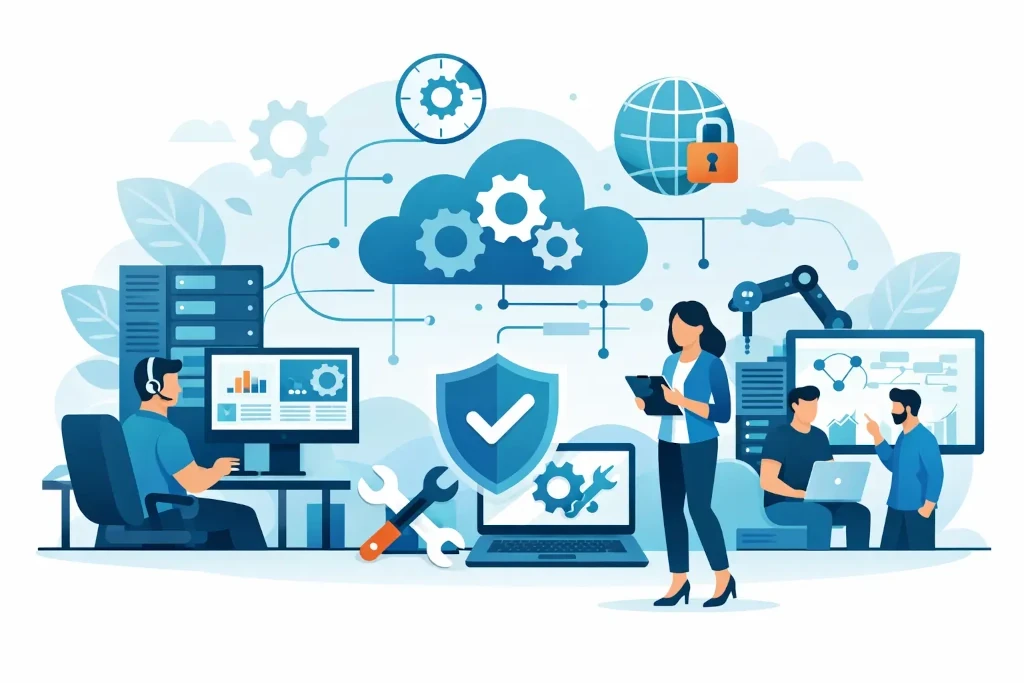
What is included in a managed IT service on a day-to-day basis?
The basis of day-to-day management is maintaining users, workstations, servers, network, and cloud services. This means that the IT environment is not only fixed when something stops working, but is also regularly checked, updated, and documented.
User support usually covers the most common work questions: access to systems, email operation, printers, software, new user accounts, and remote work setups. From a management perspective, it is not only response speed that matters. What matters is whether requests are logged, prioritized, and resolved so that the interruption is as short as possible.
Workstation management includes operating system and software updates, monitoring of antivirus or endpoint protection, disk encryption, user rights control, and device lifecycle planning. If computers in a company are replaced only when they no longer turn on, costs usually show up in downtime rather than in the budget plan.
Monitoring servers, network equipment, and cloud resources helps identify problems before they affect work. Resource load, disk space, service availability, internet connection, and critical alerts are checked. Monitoring by itself does not resolve an incident, but it reduces the time until it is detected and gives the technical team the opportunity to act in time.
Cybersecurity and access control
An essential part of a managed IT service is security, because company data no longer resides only on one server in the office. It is in email, cloud storage, accounting systems, employees’ computers, and partner platforms. Security management must cover both technology and everyday procedures.
Usually this includes identity and access rights management, multi-factor authentication, email protection, security updates, and endpoint protection. Equally important is a review of user access: who has administrative rights, who can access financial data, and whether former employees’ accounts are closed immediately.
Not every company needs the same level of security. An organization that handles sensitive customer data or operates in a regulated industry may require more detailed log monitoring, regular vulnerability assessments, and stricter access rules. For a smaller team, the most important starting point may be secure email, backups, and orderly user rights.
Technical solutions do not provide complete protection if there is no clear action plan in the event of an incident. A managed service should define who informs the company, how a compromised device is isolated, how evidence is preserved, and how normal operations are restored.
Backups, recovery, and business continuity
A backup is not the same as a business continuity plan. A backup helps restore data, but the company also needs to know how quickly critical systems must be restored, in what order this will happen, and who makes decisions in a crisis.
A managed IT service usually includes backup monitoring and troubleshooting. In a more mature model, data restoration is also tested regularly. This is essential because a successful backup record does not guarantee that files, a database, or a virtual server will be usable after an incident.
The company must agree on two practical metrics: how much data may be lost and how long a particular system may be unavailable. For example, email being unavailable for a few hours may be inconvenient, but downtime in a production tracking system can stop deliveries. These differences determine the frequency of backups, storage location, and the cost of the recovery solution.
A disaster recovery plan becomes especially important for companies with critical digital systems, multiple locations, or strict customer contract requirements. A technical document alone is not enough here. The plan must be tested in practice so that management knows whether the intended recovery time is realistic.
Proactive infrastructure development
A managed IT service is not just a help desk. Its value increases when the service provider regularly reviews the state of the infrastructure and suggests necessary improvements in time.
This may include a replacement plan for outdated equipment, license review, cloud solution cost control, network capacity assessment, and technical preparation for new offices. This approach helps avoid situations in which an important investment must be made urgently because the server, firewall, or workstation fleet has already reached a critical state.
In some companies, a periodic technical review is enough. Others need a broader IT roadmap that links infrastructure investments to business growth, opening new branches, acquisition, or compliance requirements. At this level, an external IT manager or CIO service can provide management with a competent partner for decisions that are not day-to-day support issues.
Documentation, reports, and clear responsibility
If the IT environment depends on one person’s memory, it is not fully managed. A quality service creates and maintains documentation on equipment, systems, licenses, access rights, network structure, and critical suppliers.
Documentation is needed not only in an emergency. It reduces risk when changing employees, opening a new location, transferring the company for sale, or performing an IT audit. It also allows management to understand what the company owns, what it pays for, and where the main risks are.
Regular reports help turn technical information into management decisions. They can reflect request volume, incidents, security status, backup results, infrastructure risks, and planned tasks. A report is not valuable only if it contains many indicators. It must answer a practical question: does the IT environment currently support the company’s work, and what needs to be done next?
What should be clarified before signing the contract?
Offers called “full IT support” can vary greatly. That is why, before choosing, it is necessary to clarify the scope of the service, response times, and exceptions. Does the price apply to users, devices, servers, or working hours? Are design work, after-hours incidents, and new office rollouts included in the subscription? Are cybersecurity licenses and cloud services billed separately?
It is also important to define the responsibility model. The service provider can manage the technical environment, but the company must still determine which data is critical, who gets access, and what business priorities should be followed during an incident. The best results are achieved when the IT partner has a clear point of contact at management or operations level.
KSK IT’s approach to managed services is based precisely on this principle: daily technical maintenance must be connected to security, recovery readiness, and business development plans. This helps manage IT costs and risks more predictably rather than addressing them only after a problem has already occurred.
When choosing a managed IT service, start not with the question of the cheapest monthly fee, but with a list of the most critical processes. If it is clear what must not stop in the company, it becomes much easier to determine what support, security, and recovery readiness should look like.
