
AUTHORIZATION
Blog

Example of a cloud migration project for a company
For a company with 60 employees, a failure of a single outdated server can halt sales, warehouse operations, customer service, and financial processes at the same time. This example of a cloud migration project shows how a medium-sized company can move critical systems to the cloud without losing control over data, costs, or day-to-day operations.
The example is based on a typical Baltic company situation. It is not a universal recipe, because the right approach depends on applications, data volume, regulation, and acceptable downtime. However, the project logic can be applied in many organizations where the IT environment has grown gradually and the infrastructure no longer matches business risks.
Starting situation: infrastructure that hinders growth
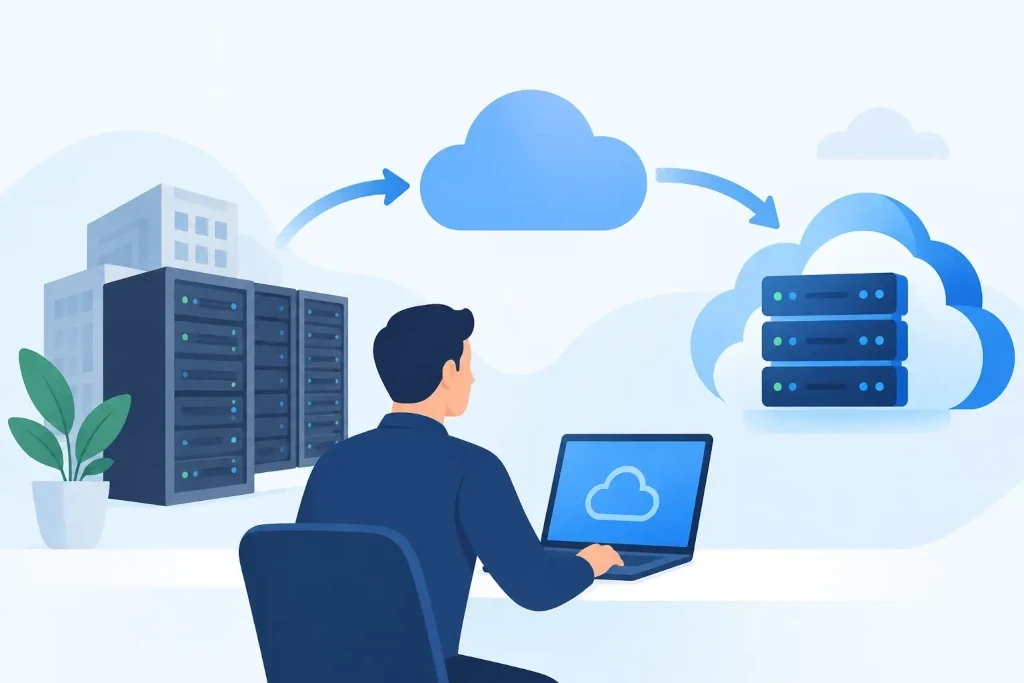
Let’s look at a wholesale company with a central office in Riga, a warehouse, and remote sales specialists. The company’s ERP system, file sharing, accounting data, and remote access solution run on two on-premises servers. The servers are nearing the end of the manufacturer support period, backups are stored in the same location, and remote access is slow and not managed consistently for all employees.
At first, management thinks the problem is only hardware replacement. The audit reveals a broader risk: there is no documented recovery sequence after an incident, administrator access is too broad, several applications have no clear owner, and backup restoration was last tested in practice more than a year ago.
The business goal is not simply to “move to the cloud.” The goal is to reduce the impact of a single physical server failure, provide access for employees from different locations, organize backups, and obtain a predictable infrastructure cost model.
Example of a cloud migration project: the chosen approach
After the initial assessment, the company chooses a hybrid model. Email, collaboration tools, and document sharing are moved to cloud services. The ERP system, which requires stable integration with warehouse equipment, is initially deployed on a virtual server in the cloud environment with a secure connection to the warehouse. Part of the archive data remains in local storage for certain performance and cost considerations.
This choice is not a compromise because of incomplete modernization. Hybrid infrastructure is often a justified solution when a company has specific production, warehouse, or financial systems that cannot be moved without careful testing of integrations. A full migration may be the right long-term decision, but it is not always the lowest-risk choice in the first project phase.
The project defines five measurable outcomes: critical systems must be accessible from any authorized workstation, the recovery objective after a major incident must not exceed four hours, backups must be separated from the primary environment, administrative access must use multi-factor authentication, and costs must be monitored by service.
Phase 1: inventory and risk assessment
Before any data is moved, a complete list of systems is compiled. This includes not only servers and user accounts, but also licenses, integrations, scheduled tasks, printers, file shares, API connections, and external vendor access.
At this stage, a significant detail is discovered: the ERP system exports data every night to a local folder that is used by the warehouse label printing solution. If this link were not documented, a situation could arise during migration where the system appears to be working, but the warehouse cannot print product labels the next morning.
The risk assessment determines which data is critical, what downtime is acceptable for each system, and who makes decisions during an incident. These questions fall under management, not only the IT team. Technically, almost everything can be restored, but priorities are determined by the company’s operating model.
Phase 2: target architecture and security controls
The target environment is created before production data is moved. User, administrator, and service account access are separated. Multi-factor authentication, log monitoring, and a separate emergency access procedure are introduced for administrative accounts.
The ERP server is deployed in an isolated network segment where only the necessary connections are allowed with users, the database, the backup solution, and the warehouse integration. This reduces the risk of incident spread if a user workstation becomes compromised.
The backup policy предусматривает several recovery points and a copy that is not directly accessible from the production environment. A common misconception arises here: data synchronization is not the same as backup. If a damaged or encrypted file is automatically synchronized, the damage can also end up in another storage location. Recovery requires versions, a retention period, and regular restoration tests.
Phase 3: pilot and data migration
First, a small user group and a less critical part of file sharing are moved to the new environment. The pilot allows authentication, remote access speed, user rights, and the support process to be tested without affecting the entire company.
For the ERP migration, a weekend with lower order volume is chosen. Before migration, a data copy, system validation, and a detailed hourly transition plan are performed. The plan also includes a rollback scenario: if the test criteria are not met by a certain time, users continue working in the old environment instead of trying to fix production problems in a hurry.
On the evening of the cutover, data changes are paused, the final database synchronization is performed, and configuration data is transferred. The next morning, responsible employees verify order entry, warehouse operations, reports, printing, and integrations with the financial system. Only after business users approve it is the new environment considered the primary one.
What created the greatest value in the project
After migration, the company gains not only a newer technology platform. Employees have consistent access to documents and systems, management has a clearer overview of infrastructure costs, and the IT environment has defined recovery procedures. A new employee is granted access based on roles rather than manually copying the rights of a previous user.
The most important benefit is a reduced level of uncertainty. Previously, the company knew that the servers would have to be replaced “sometime.” After the project, it knows which systems are critical, how long they can be restored, where backups are stored, and who is responsible for each decision.
At the same time, the cloud model does not eliminate cost discipline. Unmanaged resource scaling, unnecessary licenses, and long-unused test environments can create unexpected monthly bills. That is why a monthly review is introduced: resource consumption, access, backup volume, and changes in business needs are assessed.
Common mistakes to avoid
The first mistake is to start with technology selection rather than business requirements. The question is not only which cloud platform to use. It is necessary to determine how much downtime is acceptable, which data is sensitive, and which systems must not stop working during month-end closing or seasonal peaks.
The second mistake is to migrate everything at once without a pilot and a rollback plan. This may be acceptable in a very small, simple environment, but for a company with integrations and multiple departments, a gradual transition usually reduces operational risk.
The third mistake is to assume that the service provider is automatically responsible for everything. Cloud services operate on the principle of shared responsibility: the provider takes care of the layer of its platform, while the company must manage user access, data classification, configurations, backup policy, and internal procedures.
Management work begins after migration
Migration is a project, but a secure and effective cloud environment is a continuous management process. During the first three months, the company regularly reviews incidents, user feedback, costs, and recovery results. Documentation is updated, access approval processes are defined, and regular disaster recovery tests are scheduled.
KSK IT’s approach in such projects is to link infrastructure decisions with business continuity, security, and management’s need for transparency. This means that the technical move is inseparable from responsibilities, budget control, and the company’s real work processes.
The right next step is not to choose a platform or purchase licenses right away. Start with a short, honest question: which three IT systems can the company not afford to lose for one working day? The answer will provide a much clearer migration direction than any technology offering.
