
AUTHORIZATION
Blog
How to securely protect remote work devices
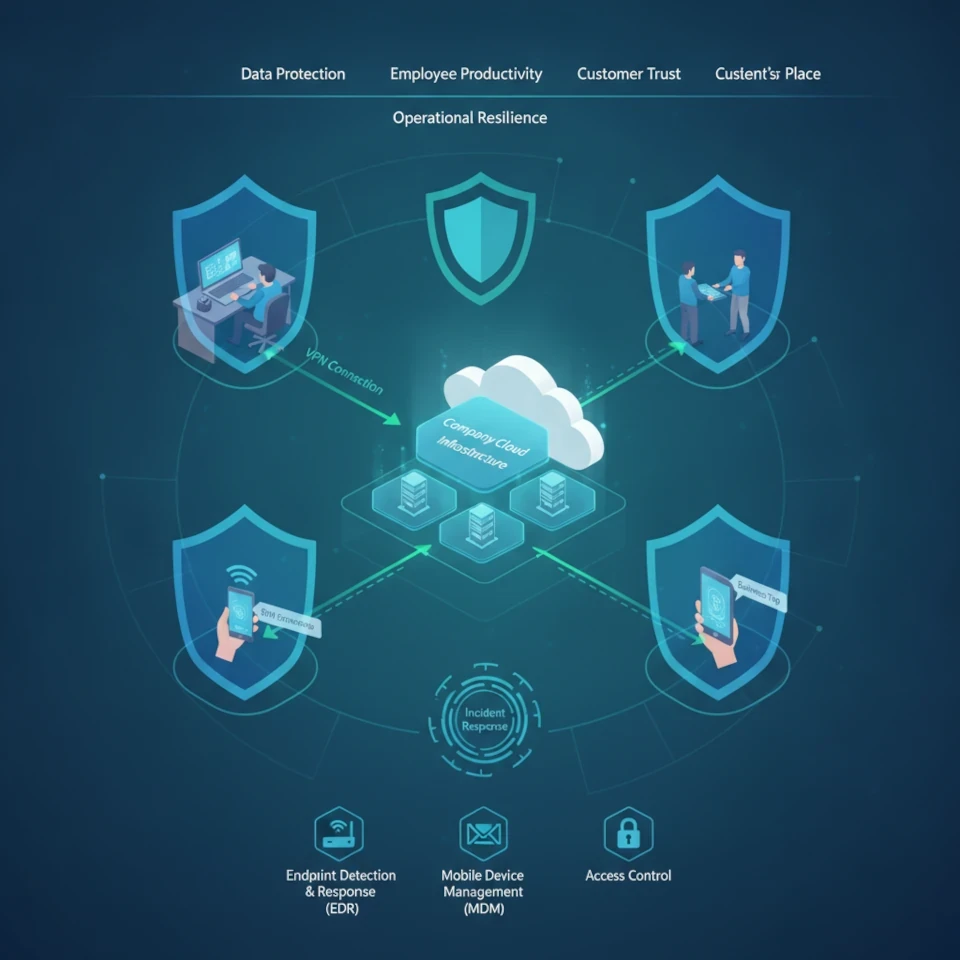
Remote work extends the company’s work environment far beyond the office walls. A laptop on a home network, a phone on a business trip, and a tablet at a client’s site become part of the company’s infrastructure. That is why the question, how to protect remote work devices, is not just a technical task for the IT department. It directly affects data protection, employee productivity, customer trust, and the ability to continue working after an incident.
The most common mistake is to focus on one solution, such as antivirus software or a VPN. In reality, security in a remote work environment is built from several interconnected layers: clear device inventory, identity management, regular updates, data encryption, backups, and a defined incident response process. If any of these layers is not implemented, the others cannot fully compensate for the risk.
Start with responsibility and device visibility
A company cannot protect what it does not know. In a remote work model, devices often appear that are not included in IT records: personal computers, old company phones, home routers, or external storage devices. They may access email, cloud storage, and customer data, but they are not regularly checked.
The first step is to create an up-to-date device register. It should show who owns the device, which user uses it, which systems it accesses, whether it is encrypted, and whether centralized management is in place. This register does not need to be complex, but it must be maintained as part of a live process, not as a one-time Excel file.
A clear decision must also be made about the use of personal devices. In smaller companies, a BYOD approach may seem economical and convenient, especially for short-term employees. However, it requires stricter rules for access, data storage, and deleting company data after the collaboration ends. If such control cannot be ensured, company-managed devices are the safer option.
How to protect remote work devices with access control
A lost password is still one of the fastest ways into company systems. In remote work conditions, a password alone is not enough, because users connect from different networks and devices. Multi-factor authentication must be implemented in all critical systems: email, cloud services, remote access tools, financial systems, and administrator accounts.
At the same time, access rights should be reviewed. An employee should only see the data and systems needed for their duties. Excessive permissions often arise historically: an employee temporarily replaces a colleague, participates in a project, or receives administrator access to resolve an issue, but the access remains active afterward.
Special attention should be paid to the accounts of managers, accounting staff, and IT administrators. These are attractive targets for fraudsters because they provide broad access or the ability to authorize payments. These users should use unique, long passwords, a password manager, and enhanced authentication. Administrative work should not be done with an administrator account in daily use - such rights should be granted only when there is a justified need.
Establish a managed device security baseline
An employee should not be the only person responsible for operating system updates, encryption, and the operation of security software. Human error is not an exception but a foreseeable risk. Centralized device management allows the IT team to see whether a laptop meets security requirements and to respond before a vulnerability becomes an incident.
In practice, each company device used remotely should provide at least the following control elements:
- security updates for the operating system, browsers, and software;
- full disk encryption so that a stolen device does not reveal the data stored on it;
- protection against malware with centralized monitoring;
- automatic screen locking and secure sign-in;
- the ability to remotely lock or wipe company data from a lost device.
Encryption is especially important for laptops. If a device is left in a car, airport, or co-working space, its physical loss must not turn into a leak of personal data or business information. However, encryption does not eliminate the need to report theft - the IT team still needs to revoke active sessions, review access logs, and, if necessary, change passwords.
Updates should not be postponed indefinitely. In some environments, it is reasonable to test updates on a small group of devices before broad deployment to prevent compatibility issues. However, this testing must not become a reason to use a known vulnerability for months.
Protect the connection and the data, not just the computer
A home Wi-Fi network is rarely managed with the same discipline as a company office network. Weak router passwords, outdated software, and a shared network with smart TVs or other devices create additional risks. Employees should be given clear instructions: use WPA2 or WPA3 protection, change the manufacturer-set password, update the router regularly, and avoid public Wi-Fi networks without approved protection.
A VPN can be the right solution if employees need access to internal resources. But it is not an automatic solution for every cloud application. Sometimes access based on the user’s identity, device compliance with security requirements, and a specific application is more effective. The choice depends on the company’s infrastructure, application architecture, and data sensitivity.
Data protection also means controlling where files are stored. Documents that exist only on an employee’s desktop or personal cloud storage create a business continuity risk. Company information should be stored in approved, managed platforms with access control, version history, and backups.
Plan the response before the device is lost or infected
In a security incident, time is critical. If an employee does not know whom to notify about a suspicious email, a stolen phone, or an unusual sign-in alert, the response is delayed. That gives the attacker more time to move within systems or spread malware.
A simple incident procedure should answer three questions: what the employee does immediately, whom they report to, and what IT does next. For example, in the event of a lost device, the employee immediately informs the responsible person, IT locks the device and active sessions, and management assesses whether customers, partners, or supervisory authorities need to be informed.
Also regularly test backup restoration. A backup that cannot be restored in a reasonable time is not sufficient protection against downtime. You need to know which systems must be restored first, how long an interruption the company can tolerate, and who makes decisions in a crisis.
Make security a management process
The risk in a remote work environment changes as the company changes: new people are hired, apps are introduced, new access rights are opened, and partners change. That is why device security should be included in the regular IT management cycle, not remembered only after an incident or an audit request.
Once per quarter, it is worth reviewing the device list, user access, outstanding updates, and backup test results. The employee offboarding process should also be checked: accounts must be closed in time, company data recovered, and devices handed over or wiped according to policy.
Small and medium-sized organizations do not always need a large internal cybersecurity team. But they do need a designated owner, transparent processes, and regular technical oversight. The KSK IT approach in such situations is to combine day-to-day device management with a management-level risk review so that security decisions are aligned with the company’s operational needs and budget.
A secure remote work environment starts with a concrete next step: find out which devices currently access your data and which of them do not have demonstrable compliance with security requirements. This review often reveals not only technical shortcomings, but also an opportunity to reduce downtime and incident costs before they become a business problem.
