
AUTHORIZATION
Blog

How to implement two-factor authentication in a company
An attacker does not need to break into the server room to cause damage to a company. Often, one stolen password is enough to gain access to email, a financial system, cloud storage, or customer data. That is why the question of how to implement two-factor authentication is not just an IT configuration task. It is a management decision to reduce the risk of fraud, downtime, and data leakage.
Two-factor authentication, or 2FA, requires two independent proofs of identity. Usually, the user enters a password and then confirms access with an authenticator app, a physical security key, or another controlled method. If a password falls into the hands of criminals, it is no longer enough on its own to log in to the system.
In a small or medium-sized business, 2FA implementation must be proportionate. Activating it too quickly without preparation can create access problems and additional strain on the support team. Conversely, too narrow a scope leaves open exactly the accounts attackers use most often. A practical approach combines risk assessment, clear rules, and gradual implementation.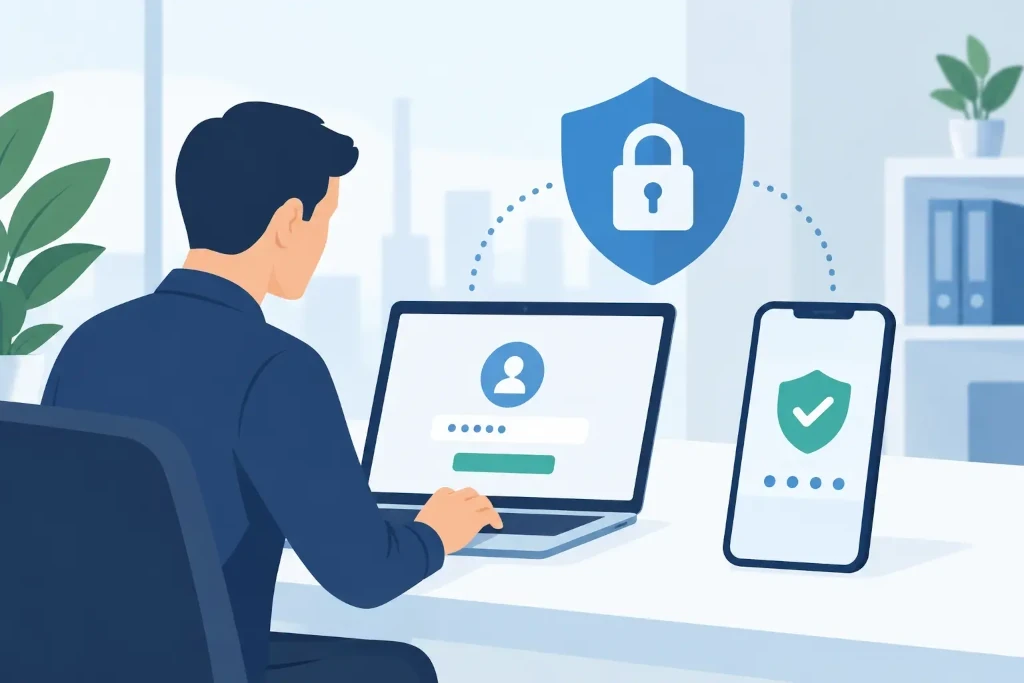
Why a password alone is not enough
Passwords are still necessary, but they are not a sufficient line of defense. Users reuse passwords across multiple systems, and they can be obtained through phishing emails, data breaches, or malware. Even a strong password will not protect you if an employee enters it on a fake login page.
Company email is a particularly important target. From a compromised manager or accounting account, an attacker can send convincing payment requests, intercept correspondence with clients, reset passwords in other systems, and spread fraudulent messages in the organization’s name. The consequences may include not only direct financial losses, but also operational disruption, reputational risk, and a complex incident investigation process.
2FA significantly reduces this risk, but it is not a universal guarantee. Modern phishing techniques may try to persuade the user to approve a criminal’s request or intercept one-time codes. That is why the authentication method, user training, and access management must be viewed as a single security control layer.
How to implement two-factor authentication: start with risk
Before choosing an app or purchasing security keys, you need to determine which accounts and systems are critical to the company. In many cases, the greatest risk is concentrated in a few platforms: email, identity management environments, remote access solutions, financial and accounting systems, customer data platforms, and administrative accounts.
Special priority should be given to administrators, management, finance staff, and people who have access to sensitive data. Compromising an administrator account can allow an attacker to create new users, change security settings, or block the company’s access to its own systems. For these users, 2FA should be mandatory already in the first stage of implementation.
You should also create a system list with answers to three questions: does the system support 2FA, what methods does it offer, and who in the company is responsible for configuration. Such an overview often reveals outdated applications, shared accounts, or external vendors with overly broad access rights. These are issues that must be resolved alongside 2FA implementation, not postponed indefinitely.
Choose the method based on risk and the way of working
Not all second-factor methods provide the same level of protection. SMS codes are easy to use, but they are a weaker solution because of SIM swapping and social engineering risks. They can be used as a transition or backup method, but critical access should not rely on SMS alone.
Authenticator apps that generate time-based codes or display approval requests offer most companies a good balance between cost, security, and convenience. They are suitable for office workers, remote teams, and staff using managed smartphones.
Physical security keys are a stronger choice for administrators, financial approvers, and other high-risk users. They help protect against many forms of phishing because authentication is tied to the specific login site. The trade-off is cost, inventory management, and the need to prepare backup keys in case the device is lost.
In some companies, the most suitable approach is a hybrid one: everyday users use an authenticator app, while privileged accounts are required to use a physical security key. The key point is to avoid giving everyone the weakest possible method just for the sake of convenience.
Implement gradually, not in one day
Effective implementation starts with a pilot group. It should include IT administrators, a few employees from different functions, and representatives of management. The pilot can test whether the login process is understandable, whether the necessary business applications work, and how often users need support.
After the pilot, 2FA should be enabled by user groups with a clear deadline. Employees should be informed in advance why the changes are being made, which systems they will apply to, and what to do if the phone is replaced or the authenticator device is unavailable. A note such as “enable 2FA by Friday” without instructions and a responsible contact creates unnecessary resistance.
The implementation communication should be practical. It should include short registration steps, available support channels, and a clear warning never to approve an unexpected login request. If a user receives several approval notifications that they did not initiate themselves, it may indicate an attempt to fatigue them into making an erroneous approval.
Do not forget recovery and emergency access
One of the most common implementation shortcomings is a poorly thought-out recovery process. 2FA should not mean that an employee who loses their phone is unable to work for several days. At the same time, the help desk must not reset the second factor based only on an email or phone call if the caller’s identity has not been securely verified.
The company must define a verifiable identity restoration process. This may include manager approval, in-person identity verification, registered backup methods, or the issuance of security keys. The specific choice depends on the company’s size, the share of remote work, and available resources, but the process must be documented and tested before an incident occurs.
Emergency administrative accounts, or “break-glass” access, should also be planned. Such accounts are necessary if the identity platform fails or access to regular administrator accounts is lost. They must be strictly controlled, with unique passwords, securely stored access data, and regular usage checks. An emergency account is not a daily work tool.
Connect 2FA with access management
Two-factor authentication will be less effective if the company still has shared user accounts, access belonging to inactive employees, or excessive administrator privileges. Every user should have a personal account so that actions can be traced and access can be revoked quickly.
Employee onboarding, role changes, and offboarding processes should include access review. This is especially important for external consultants, accounting partners, and short-term project staff. Access should be granted only for as long and as broadly as required for the specific task.
Conditional access rules can add another control layer. For example, a company may require 2FA if the login comes from an unmanaged device, from outside the usual country, or if someone is trying to access the financial system. However, the rules must be tested so they do not interfere with legitimate access for business trips, outsourcing, or remote work.
Monitor the result after activation
A 2FA project does not end on the day the policy becomes mandatory. You should regularly review whether all active users have registered a second factor, which systems are still unprotected, and whether suspicious login activity has increased. Support requests should also be analyzed - they often show where instructions, device management, or the recovery process are incomplete.
Access logs and periodic rights reviews provide management with visibility into the actual security state. This is essential for audits, meeting customer security requirements, and incident investigations. In KSK IT practice, such controls are usually included in a broader identity, backup, and continuity management model rather than treated as a separate setting.
A properly implemented 2FA policy protects not only systems, but also the company’s ability to keep working when human error is being targeted. Start with critical accounts, establish a secure recovery procedure, and make access review a regular management discipline.
