
AUTHORIZATION
Blog
VPN for business: when it is needed and which one to choose
Cyberattacks, corporate data breaches, and traffic interception are real threats for any business operating online. According to IBM, the average cost of a data breach in 2024 exceeded USD 4.88 million. A corporate VPN has become one of the key protection tools: it encrypts traffic, masks employee IP addresses, and establishes a secure tunnel between devices and corporate resources.
If your company employs remote workers, operates across multiple offices, or stores sensitive client data — the question is no longer whether your business needs a VPN. The real question is: which VPN should you choose for your company and how do you implement it correctly? This article covers the key use cases for a corporate VPN, selection criteria, and popular solutions for businesses of all sizes.

What Is a Corporate VPN and How Does It Differ from a Personal One?
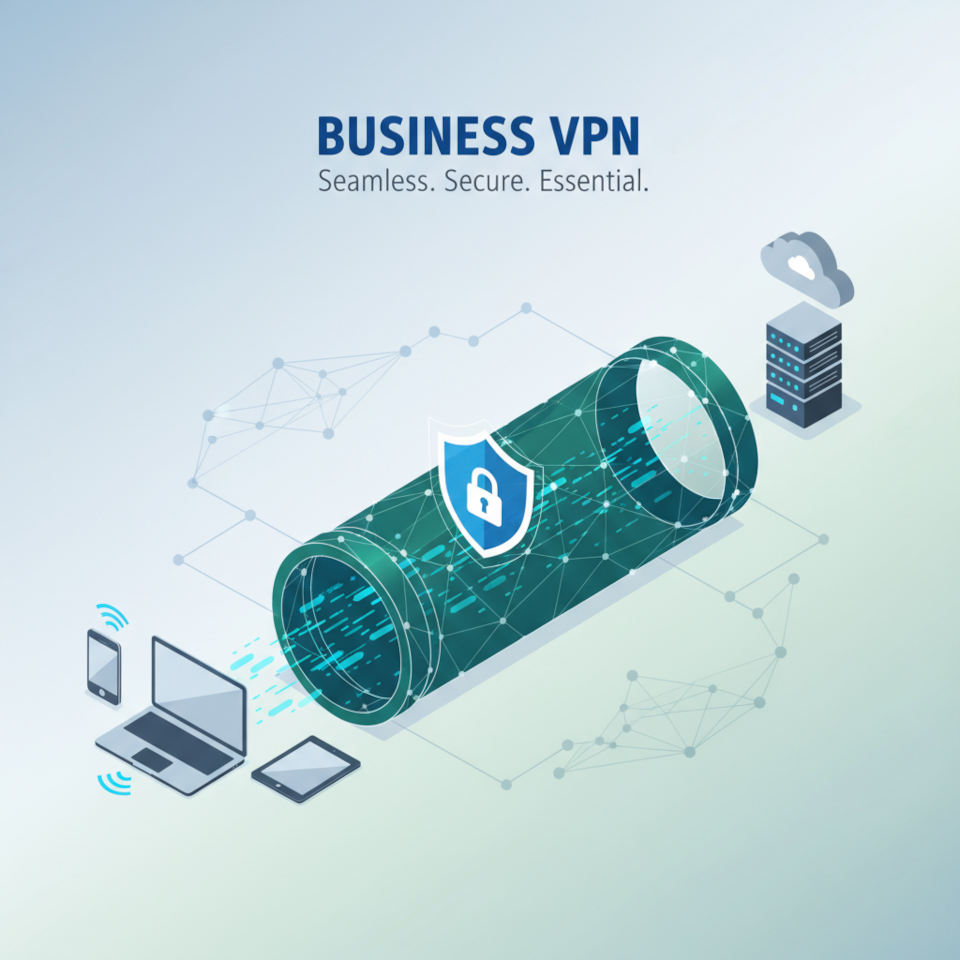
A VPN (Virtual Private Network) is a technology that creates an encrypted tunnel between a user's device and a server, protecting data from interception. However, a corporate VPN and a personal VPN are fundamentally different products with different purposes.
Personal VPN: Online Anonymity
Personal VPN services (NordVPN, ExpressVPN, Surfshark) are designed for individual users who want to hide their online activity or access geo-blocked content. They are centralized, managed by the provider, and do not offer the flexible configuration required by organizations.
Corporate VPN: Control and Security
A corporate VPN addresses fundamentally different needs:
- Provides secure remote access for employees to internal company resources
- Connects offices and branches into a single protected network (site-to-site VPN)
- Centrally managed by the IT department: access rights, monitoring, policies
- Integrates with Active Directory, two-factor authentication, and SIEM systems
- Meets corporate security requirements and regulatory standards (GDPR, ISO 27001)
The Key Distinction
A personal VPN is a service. A corporate VPN is infrastructure. In the first case, you trust the provider; in the second, you control the server, policies, and data yourself. That is precisely why businesses must choose specialized corporate solutions.
Why Your Business Needs a VPN: 5 Key Use Cases
Many business owners ask: why do we need a VPN if we already have antivirus software and a firewall? The answer is straightforward: VPN closes vulnerabilities that antivirus cannot address — primarily those related to data transmission over unsecured channels.
1. Remote Work for Employees
VPN for remote work is the most common use case. When an employee connects to corporate systems from home, a cafe, or an airport, their traffic passes through public networks. Without a VPN, data — including login credentials, documents, and communications — can be intercepted. A VPN creates an encrypted channel through which the employee securely accesses the CRM, ERP, or corporate email.
2. Connecting Offices and Branches
Site-to-site VPN for business solves the challenge of unifying geographically distributed offices into a single network. Employees in different cities work as if they were in the same office: shared file servers, unified telephony, and common access to printers and databases. This is more cost-effective and more secure than leasing dedicated communication lines.
3. Securing Data When Working with Clients and Partners
VPN for working with international partners is essential for companies exchanging trade secrets, financial reports, or clients' personal data. An encrypted channel prevents data interception by competitors or malicious actors.
Beyond these scenarios, VPN is also used for:
- Secure access to cloud services (AWS, Azure, Google Cloud)
- Testing websites and services from different geographic locations
- Bypassing regional restrictions on work tools
- Meeting security compliance requirements during audits
How to Choose a Business VPN: Key Evaluation Criteria
There are dozens of solutions on the market, and selecting a corporate VPN without clear criteria is difficult. Below are the key parameters that every IT director or business owner should consider.
Protocols and Security
VPN protocols determine the level of protection and connection speed. The most relevant options for business are:
- IPsec/IKEv2 — the corporate network standard, high reliability, supported by most devices
- OpenVPN — an open-source solution with flexible configuration, widely used in enterprise environments
- WireGuard — a modern protocol with excellent performance, growing rapidly in popularity
- SSL/TLS (OpenConnect, AnyConnect) — convenient for remote access via browser
Two-factor authentication (2FA) support is critical. A VPN with two-factor authentication in a business environment significantly reduces the risk of account compromise even if passwords are leaked.
Scalability and Management
A corporate VPN must grow with the company. Evaluate:
- Support for centralized user management (LDAP/AD integration)
- Ability to create access groups and policies for different departments
- Availability of activity monitoring and logging
- Support for mobile devices (iOS, Android)
- SLA and technical support
Regulatory Compliance
If your company handles personal data or financial information, VPN security compliance is not optional — it is mandatory. Ensure that your chosen solution complies with GDPR, PCI DSS, or the industry-specific standards in your sector. For more on information security requirements for businesses, see our article on corporate IT audit.
VPN for Small Business vs. Enterprise Solutions for Mid-Size and Large Companies
The needs of a 10-person company and a 500-employee holding are radically different. Here is how to approach VPN selection based on scale.
VPN for Small Business
For small companies (up to 50 employees), cloud-based managed solutions are ideal:
- Low upfront investment — subscription-based pricing, no need for your own servers
- Simple setup — no need for a dedicated IT specialist
- Fast onboarding of new employees
Popular options: Perimeter 81, NordLayer (the corporate version of NordVPN), Cloudflare Access. Cost starts at $7–10 per user per month.
Corporate Solutions for Mid-Size and Large Businesses
For companies with 100+ employees and developed infrastructure, the following are worth considering:
- Cisco AnyConnect / Secure Client — the industry standard, deep integration with network hardware
- Palo Alto GlobalProtect — powerful protection within the NGFW ecosystem
- Fortinet FortiClient VPN — strong price-to-performance ratio
- OpenVPN Access Server — a flexible open-source solution for self-hosted deployment
When selecting a mid-market solution, it is important to evaluate the total cost of ownership (TCO): licenses, server infrastructure, maintenance, and staff training.
VPN Solutions for Compliance-Driven Environments
In regulated industries — healthcare, finance, government — the choice of VPN must account for sector-specific standards. HIPAA-compliant environments require end-to-end encryption and detailed access logs. Financial institutions often mandate solutions certified against PCI DSS. Always verify compliance certifications before purchase.
Comparing Business VPN Solutions: Top Options
Below is a brief comparison of the most widely used corporate VPN solutions to help orient your selection.
Cisco AnyConnect: Protocols: SSL, IPsec/IKEv2. Pros: enterprise-grade reliability, deep integration with Cisco hardware, powerful centralized management. Cons: high licensing costs, complex configuration. Best for: large enterprises.
OpenVPN Access Server: Protocols: OpenVPN, WireGuard. Pros: open-source code, flexible configuration, self-hosted deployment. Cons: requires technical expertise. Best for: mid-size businesses with an IT team.
Perimeter 81: Protocols: WireGuard, OpenVPN, IKEv2. Pros: easy management, fast deployment, Zero Trust architecture. Cons: limited capabilities for very large organizations. Best for: small and mid-size businesses.
NordLayer: Protocols: NordLynx (WireGuard), OpenVPN, IKEv2. Pros: ease of use, good speed, web-based management console. Cons: fewer customization options. Best for: small and mid-size businesses.
Fortinet FortiClient: Protocols: SSL-VPN, IPsec. Pros: integration with the Fortinet ecosystem, built-in endpoint protection. Cons: full functionality requires FortiGate. Best for: mid-size and large businesses.
For a more detailed comparison and selection tailored to your company's infrastructure, we recommend reviewing our guide to building a corporate IT infrastructure.
People Also Ask: Common Questions About Business VPN
Does a small business need a VPN if employees work in the office? Yes. Even in an office setting, a VPN protects data when employees use public networks during business trips, client meetings, or when granting access to external contractors. It also enables secure partner access to corporate resources without exposing the network perimeter.
What is the fundamental difference between corporate VPN vs personal VPN? A personal VPN protects one user and is managed by the provider. A corporate VPN is infrastructure managed by the company itself. It allows creating access policies, integrating with corporate systems, maintaining audit trails, and ensuring regulatory compliance.
Which VPN is best for a distributed team? For distributed teams, cloud-based Zero Trust Network Access (ZTNA) solutions are optimal: Perimeter 81, Cloudflare Access, or Zscaler Private Access. They require no physical server and scale easily as the team grows.
Conclusion: VPN Is an Investment in Security, Not an Expense
A corporate VPN is not a luxury or a tool for the overly cautious. It is a fundamental element of IT security — and any business handling sensitive data or relying on remote workers that operates without one is carrying unnecessary risk. A single successful attack on a corporate network costs more than several years of a quality VPN subscription.
When choosing a solution, consider your company size and IT maturity. Small businesses benefit most from managed cloud services; mid-size and large companies should look at enterprise solutions with deep integration capabilities. Ensure your chosen VPN supports the necessary protocols, two-factor authentication, and the regulatory requirements of your industry.
Do not put off the question of corporate security. If you are unsure which solution is right for your organization, the specialists at KSK IT are ready to audit your current infrastructure and recommend the optimal VPN solution for your needs and budget. Contact us for a free consultation at ksk-it.eu — the first step toward a secure corporate network costs nothing.
FAQ
What is a corporate VPN in simple terms?
A corporate VPN is a secure, encrypted communication channel between employee devices and the company network. Think of it as a virtual office cable running over the internet: from anywhere in the world, an employee connects to corporate resources just as securely as if they were sitting at their desk.
How do I choose a VPN for my company — where do I start?
Start by answering three questions: how many employees will use the VPN, do you need to connect multiple offices, and are there regulatory requirements for data protection? The answers will determine the type of solution (cloud vs. on-premise) and the features you need.
What is the best business VPN in 2026?
The best VPN for business depends on company size. For small business: NordLayer or Perimeter 81. For mid-size: OpenVPN Access Server or Fortinet FortiClient. For large enterprise: Cisco AnyConnect or Palo Alto GlobalProtect. The best solution is the one that addresses your specific security requirements.
What is a site-to-site VPN for business?
A site-to-site VPN connects two or more corporate networks — for example, a headquarters and a branch office — into a single protected network. Unlike a remote access VPN, it operates automatically at the network hardware level, so users do not need to manually connect to the VPN.
Is a VPN required to comply with GDPR?
GDPR does not explicitly mandate VPN use, but it does require organizations to implement 'appropriate technical measures' to protect personal data. A VPN is one such measure, particularly when transferring data between offices or enabling remote work. The absence of channel encryption may be considered a failure to meet the regulation's requirements.
