
AUTHORIZATION
Blog
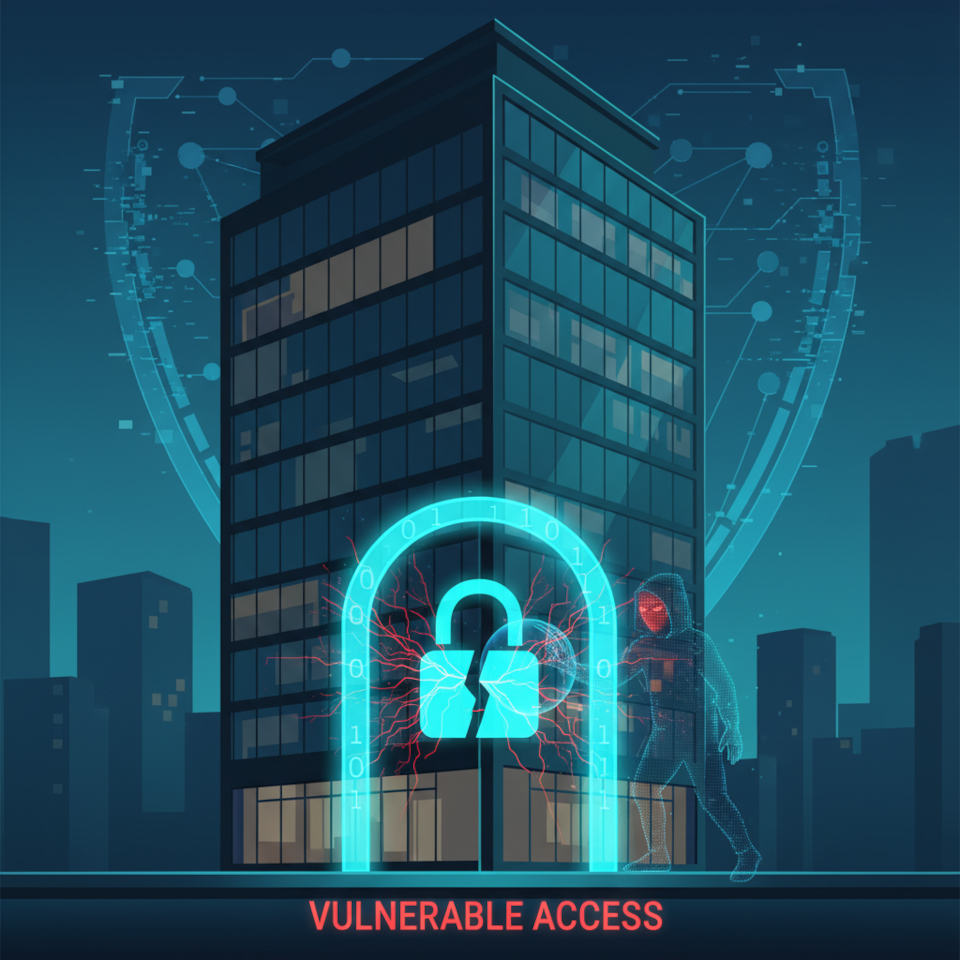
Password policy in business: why "123456" still opens doors and how to stop it
According to the annual Verizon Data Breach Investigations Report, more than 80% of corporate system breaches involve weak or compromised passwords. In 2026, this might sound like a bad joke — but the reality is far grimmer. The password "123456" still ranks among the top five most common credentials found in corporate databases leaked to the dark web.
The problem is not technology — the technology has been ready for years. The problem is that password security is still treated as "an IT department issue" rather than a strategic priority for business owners and executives. Yet a single compromised account can cost a company millions — in fines, downtime, reputational damage, and legal proceedings.
This article breaks down why corporate cybersecurity systematically fails when it comes to password management — and provides a concrete action plan to fix it, without technical jargon, with a focus on business outcomes.

1. Why Weak Passwords Are a Management Problem, Not a Technical One
When an employee sets the password "qwerty123", they are not acting maliciously — they are simply human. Behavioural economics research consistently shows that people choose convenience over security when the system allows it. The executive's job is therefore to build an environment where the secure choice is also the convenient one.
The Human Factor: Three Behavioural Patterns That Compromise Companies
Analysis of data breaches reveals three recurring scenarios:
- Password reuse. An employee uses the same password for corporate email, personal accounts, and SaaS services. A breach on any one platform compromises everything else.
- Predictable modifications. "Password1", "Password2", "Password!" — forced password rotation policies create an illusion of security while providing zero real protection.
- Sharing passwords over unprotected channels. Passwords sent via Telegram, WhatsApp, or email are standard practice in 60% of small and medium-sized businesses.
The Cost of Inaction: What Happens After a Breach
According to the IBM Cost of a Data Breach Report, the average cost of a single breach for a small or medium-sized business is $4.45 million. This includes incident investigation, customer notification, regulatory fines (GDPR allows penalties of up to 4% of annual turnover), lost contracts, and reputational harm. For many companies, a single successful attack becomes a point of no return.
The Role of the CEO and Business Owner in Password Security
Until leadership declares cybersecurity a priority and allocates resources accordingly, any efforts by the IT department will be undermined by the daily decisions of individual employees. A password security policy must flow from the top down and be reinforced by example — including the accounts of senior management, which are typically the most exposed.
2. Default Passwords and Corporate Software: The Hidden Threat Inside Your Perimeter
One of the most underestimated threats is default passwords in corporate software, network equipment, and IoT devices. Routers, CCTV cameras, and database servers frequently run for years with factory credentials: "admin/admin", "root/root", "1234". These combinations are publicly documented by manufacturers — attackers use automated scanners to find such devices in seconds.
Default Password Audit: Where to Start
The first step is an inventory. Build a register of all devices and services along with their credentials:
- Network equipment (routers, switches, access points)
- Servers and virtual machines
- Business applications (ERP, CRM, accounting systems)
- Cloud services and SaaS platforms
- Industrial and IoT devices
For every device in the register, change default passwords immediately and document new credentials in a secure vault. This is a basic but critically important level of access control.
Brute Force Attacks: How Attackers Break Into Systems
Brute force attacks are now fully automated. Modern tools can test billions of combinations per second. An 8-character password using only letters and numbers can be cracked in minutes. "P@ssw0rd" falls within hours, because predictable character substitutions have long been built into attack dictionaries. The only reliable defence is length and randomness.
Password Complexity Requirements: What Works and What Is an Illusion
NIST's current guidelines (SP 800-63B) have moved away from traditional password complexity requirements — mandatory uppercase letters, symbols, numbers — in favour of length. A passphrase of four or five random words ("blue-tractor-cloud-friday") is cryptographically stronger than "P@55w0rd!" and significantly easier to remember. Build this understanding into your corporate policy.
3. Password Policy: From a Document on the Server to a Living Practice
In most companies, a password policy exists — as a PDF file on the corporate server that nobody has read. A living policy is a set of technical and organisational measures that make secure behaviour the only possible behaviour.
Minimum Password Policy Standard for Business
The policy must technically enforce the following requirements:
- Minimum length of 12 characters (16+ recommended)
- Checking new passwords against known breach databases (Have I Been Pwned API)
- Prohibition on reusing the last 10 passwords
- Account lockout after 5–10 failed login attempts
- Mandatory password change upon signs of compromise (not on a fixed schedule)
- Mandatory multi-factor authentication for privileged accounts
Regulatory Compliance: GDPR, ISO 27001, and National Legislation
If your company processes personal data of EU citizens, a weak password policy is not just a breach risk — it is a direct violation of GDPR (Article 32, "security of processing"). ISO 27001 contains analogous requirements under access control. Non-compliance discovered during an audit or incident significantly increases the scale of fines and management liability.
Related: IT audit and Due Diligence
4. Password Manager and Two-Factor Authentication: Technologies That Solve the Problem
The main objection to complex passwords is "impossible to remember." That's true. Which is exactly why the human task is not to memorise passwords, but to manage them through the right tools.
Corporate Password Manager: How to Choose and Deploy
Corporate password managers (1Password Teams, Bitwarden Business, Keeper Business) solve several problems simultaneously:
- Generating cryptographically strong, unique passwords for every service
- Secure storage and encryption of credentials
- Controlled sharing of passwords within teams — without transmitting them over open channels
- Audit logs of access to accounts
- Automatic breach notifications (integration with compromised-data databases)
The ROI of deploying a corporate password manager for a 50-person company is a few hundred euros per year. The cost of a single incident is thousands of times higher.
Two-Factor Authentication (2FA / MFA): The Second Line of Defence
Multi-factor authentication renders a compromised password useless: even knowing the correct password, an attacker cannot log in without the second factor — a one-time code from an authenticator app (TOTP), a hardware key (YubiKey), or biometrics. According to Microsoft, MFA blocks 99.9% of automated attacks. It is the single measure that delivers such a high effect at such a low implementation cost.
Single Sign-On (SSO): Centralised Access as a Security Tool
Single Sign-On is an architectural solution whereby an employee authenticates once and gains access to all corporate systems. Fewer passwords means fewer attack surfaces. SSO combined with MFA and centralised access management creates a model close to Zero Trust: every access request is verified independently of its source.
5. Employee Training: Security Awareness as a Competitive Advantage
Technology without a security culture does not work. An employee who does not understand why they are being asked to behave in a certain way will find a way around any restriction. Employee training is not a one-time induction briefing — it is a continuous process.
Security Awareness Programme: What It Should Include
- A baseline cybersecurity course during onboarding (mandatory)
- Quarterly micro-training sessions (10–15 minutes) using current real-world examples
- Simulated phishing attacks — the best way to test the actual level of protection
- Clear instructions on what to do when credentials may have been compromised
- A well-defined incident reporting procedure with no fear of punishment
Phishing and Social Engineering: Why Passwords Are Stolen, Not Cracked
The majority of corporate breaches begin with phishing — a fraudulent email or call that tricks an employee into handing over their credentials voluntarily. Technical measures reduce the risk but do not eliminate it entirely. Only an employee who can recognise a suspicious request serves as the final line of defence.
Measuring Effectiveness: Security KPIs for Executives
Percentage of employees who completed training; percentage of accounts protected by MFA; average response time to a phishing simulation; number of credential-related incidents — these are manageable metrics that allow a leader to assess the real level of protection rather than rely on gut feeling.
6. Access Control and Password Management: A Systemic Approach
Password security is one element of a broader access management system. The principle of least privilege requires that every employee has access only to the systems and data necessary for their role. This limits the "blast radius" if any account is compromised.
Privileged Accounts: A Special Level of Protection
Administrator, finance, and senior management accounts require separate measures: unique long passwords, mandatory MFA with a hardware key, regular activity audits, and immediate deactivation upon departure. These accounts are the primary targets of attacks.
Offboarding: Former Employees' Passwords as a Systemic Vulnerability
Research shows that in 25% of companies, former employees retain access to corporate systems for more than a month after leaving. The absence of a formalised offboarding process with immediate deactivation of all credentials is one of the most frequently exploited vulnerabilities — particularly critical for staff with access to financial systems or customer databases.
7. FAQ: Questions Executives Ask About Password Security
— How often should passwords be changed in a company?
Current NIST guidance: mandatory scheduled password rotation is ineffective and creates predictable patterns ("March2024!" becomes "April2024!"). Passwords should be changed when a compromise is detected or when there are signs of unauthorised access. With a password manager and MFA in place, scheduled rotation becomes redundant.
— Is a strong password sufficient without two-factor authentication?
No. A password can be stolen through phishing, traffic interception, or a third-party service database breach. Multi-factor authentication protects even when a password has been compromised. For critical systems, a hardware key (FIDO2) is recommended.
— Is it safe to store passwords in a password manager?
Yes — significantly safer than the alternatives: notebooks, Excel spreadsheets, or password reuse. Corporate password managers use AES-256 encryption, zero-knowledge architecture, and undergo regular independent security audits.
Conclusion: From Awareness to Action
A password policy is not a bureaucratic document and not an IT department task. It is a management decision with a direct impact on financial results, legal liability, and company reputation. The technologies needed for robust protection are accessible and require no major investment. A password manager, two-factor authentication, Single Sign-On, and regular employee training are not luxuries for large corporations — they are a baseline standard for any business that works with digital data.
The highest risk is inaction. Every day that weak passwords, default credentials, or absent MFA exist in your company is a day an attacker may exploit a vulnerability before you eliminate it.
The KSK IT team is ready to audit your current password management system and develop a password policy that complies with GDPR and ISO 27001 requirements. Contact us for a free initial consultation — and find out exactly how protected your business is right now.
FAQ — Frequently Asked Questions
Q1: What is a password policy and why does a business need one?
A password policy is a set of rules and technical measures governing the creation, storage, and use of passwords within a company. It is needed to minimise the risk of unauthorised access to corporate systems, to comply with regulatory requirements (GDPR, ISO 27001), and to protect customer data.
Q2: Which password management tools are recommended for business?
For corporate use, recommended solutions include: 1Password Business, Bitwarden Teams, Keeper Business, and Dashlane Business. The choice depends on company size, integration requirements with existing systems, and compliance needs. All of the above support SSO, MFA, and audit logs.
Q3: What is password reuse and why is it dangerous?
Password reuse is the practice of using the same password across multiple services. The danger: when any service suffers a data breach, attackers automatically test the stolen credentials against thousands of other platforms (credential stuffing attacks). Statistically, such attacks succeed in 0.1–2% of cases — which at the scale of modern breaches (millions of records) translates to thousands of compromised corporate accounts.
Q4: How can security awareness be maintained without significant cost?
Start with free resources: KnowBe4 offers free phishing simulations, Google provides a free cybersecurity course, and ENISA publishes free training materials in multiple languages. Embed short security reminders into corporate communications — a 5-minute video once a quarter is more effective than a two-hour training session once a year.
Q5: How are access control, Single Sign-On, and password security related?
Access control defines who has the right to access what. Single Sign-On centralises authentication: one strong password plus MFA unlocks access to all authorised systems, eliminating the need to remember dozens of passwords. The result: less temptation to use weak passwords, reduced load on the helpdesk, and better manageability of access when staff changes occur.
