
AUTHORIZATION
Blog

Public cloud vs local server for a company
Choosing a company’s infrastructure is rarely just a technical matter. It determines how quickly a team can start work in a new office, how long the company can continue operating after an incident, and how predictable IT costs are. That is why public cloud vs local server is not a debate about a modern or traditional approach. It is a choice about control, risk, business continuity, and the ability to grow without unnecessary constraints.
Small and medium-sized businesses do not need to choose the solution that is theoretically the best. They need to choose the one that fits the criticality of specific systems, data requirements, users’ working habits, and available IT management capacity. Often the most sensible answer is a hybrid environment, not one extreme model.
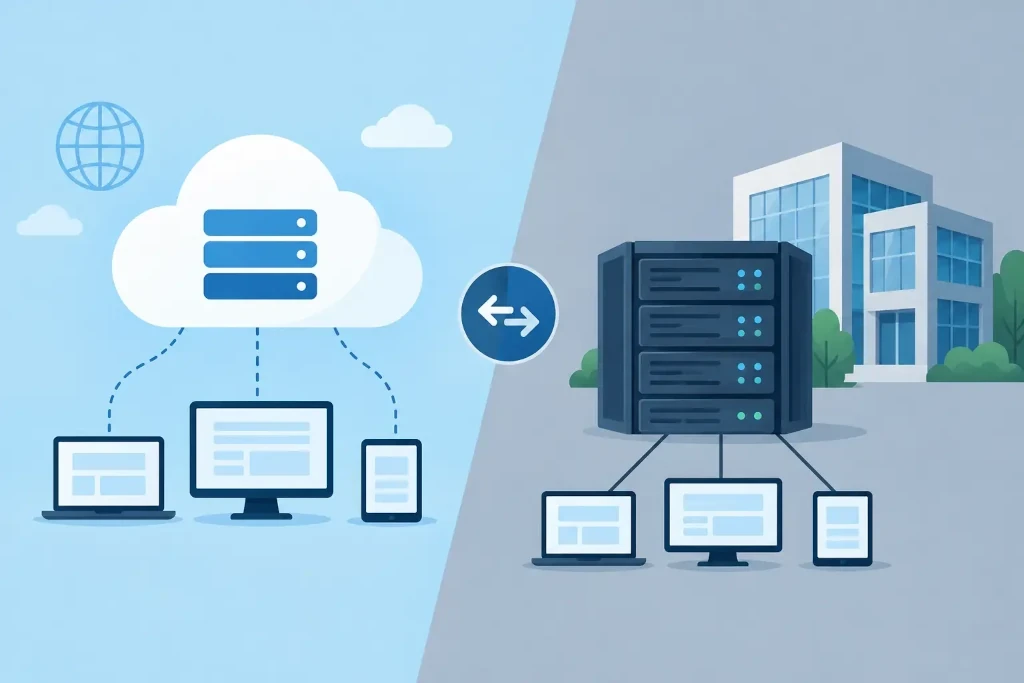
What public cloud really means for a company
A public cloud is a service provider’s data center infrastructure that a company uses on demand. It can run applications, store data, create backups, provide remote access, or host virtual servers. Resources are usually available quickly, and their capacity can be changed without purchasing physical hardware.
This model is suitable for companies that are growing, opening new branches, employing remote teams, or using applications with variable workloads. If an additional server is needed to start a new project, a cloud environment can provide it in hours rather than waiting for hardware delivery, installation, and configuration.
However, the cloud is not automatically a managed solution. The service provider maintains the physical infrastructure, but the company still has to define access rights, ensure data classification, monitor costs, create backups, and test recovery procedures. A poorly configured cloud can create security risks just as serious as an outdated server in the office.
When a local server is a justified choice
A local server is located in the company’s office, factory, or selected data center. The company controls the hardware, its configuration, and physical access. This model remains relevant if critical systems require very low latency, stable operation even with internet connection disruptions, or special integrations with local equipment.
For example, in a manufacturing company, a system that communicates with equipment on the shop floor may not depend solely on an external internet connection. Likewise, local infrastructure may be suitable for storing security camera footage, processing large volumes of data, or running specific industry applications that are not designed to operate in the public cloud.
A local server does not mean a one-time investment and peace for five years. Hardware becomes outdated, warranties expire, disks need replacing, software must be updated, and backups must be stored outside the main location. The company must also plan for power protection, cooling, fire safety, and a replacement scenario in case of hardware failure.
Control is valuable, but it also creates responsibility. If infrastructure is managed by a small internal team or a single IT specialist, a significant risk is knowledge being concentrated in one person. Available documentation, monitoring, and external support are just as important in such an environment as the technical specifications of the server itself.
Public cloud vs local server: the main selection criteria
The decision should not be based on a single argument, such as the initial price. The right infrastructure choice must be evaluated over its entire lifecycle - from implementation to incident response and the next modernization.
Costs: capital investment or recurring service
A local server usually requires a larger upfront investment. Hardware, licenses, network equipment, and a backup solution must be purchased. Costs may seem predictable, but maintenance, energy, warranty extension, replacement funds, and specialist work must be included.
In the public cloud, the initial investment is smaller, but recurring bills can grow with data volume, resource consumption, and poor management. Particular attention should be paid to resources that remain turned on but are underused, data transfer costs, and licenses. The cloud is financially flexible, not always cheaper.
For company management, a total cost of ownership calculation over at least three to five years is useful. It should include not only infrastructure, but also downtime risk, internal labor consumption, and the need for external expertise.
Security and regulatory requirements
Security is not determined by where the server is located. It is determined by access management, multi-factor authentication, updates, log monitoring, encryption, segmentation, and human behavior. In both the public cloud and local environments, it is possible to build high-level protection. In both cases, poor management leaves vulnerabilities.
If the company processes personal data, financial information, or regulated industry data, it must determine where the data is stored, who can access it, and how incident investigations are handled. European data storage requirements and customer contract terms may affect the choice, but they do not by themselves mean that a local server is needed. Often a cloud hosted in a European region with a clearly defined management model is appropriate.
Availability and recovery after an incident
The most important question is not whether a server can fail. It can fail anywhere. The question is how quickly the company can restore operations if there is a hardware failure, cyberattack, fire, internet outage, or accidental data deletion.
The cloud makes it easier to set up geographically separated copies and backup environments, but it is not an automatic business continuity plan. Cloud data must also be protected against deletion, ransomware, and user errors. Conversely, a local server requires tested off-site copies and a clear recovery plan that is not just a file in a folder named “backup”.
The company should define two metrics: how much downtime is acceptable and how much data loss is tolerable. These criteria are used to choose backup frequency, recovery architecture, and the required budget.
Performance, connectivity, and user experience
If employees work daily from different locations, the public cloud often provides a simpler access model. It reduces dependence on one office internet connection and makes it faster to provision workspaces for new teams.
On the other hand, for systems with intensive data exchange between users and the server, a local environment can provide better response times. This is important, for example, for design files, warehouse processes, or specialized databases. Here, the decision should be made based on measurements and application requirements, not on the assumption that the cloud will always be slower or faster.
Hybrid infrastructure often removes the artificial choice
In many companies, the safest and most practical model combines both approaches. Systems that need low latency or close integration with office and production environments can remain local. Collaboration tools, remote workplaces, backups, disaster recovery environments, and elastically scalable applications can be placed in the cloud.
A hybrid model is not a compromise just for the sake of compromise. It allows each workload to choose the most suitable environment. However, such an architecture requires clear governance: unified access principles, documented network structure, regular security reviews, and a division of responsibility.
In KSK IT practice, it is worth starting infrastructure selection with mapping systems and business risks, rather than choosing a specific server or cloud service. If it is not clear which applications are critical, what data they store, and how long the company can do without them, the technology decision will be based on guesswork.
How to make a decision without overpaying or taking on risk
Before investing, evaluate each essential system separately. Determine its users, data volume, availability requirements, connectivity with other systems, and recovery priority. Then calculate the costs not only of implementation, but also of security, monitoring, backups, and support over the entire intended usage period.
An independent review of the IT and disaster recovery plan is also useful. It reveals whether the company’s assumptions about backups and system recovery have been realistically tested rather than merely documented. The quality of the decision is determined not by the chosen term - cloud or local server - but by the ability to keep that environment under control after a year, two years, and in a crisis.
Start by asking which business functions must not stop. When the answer is clear, infrastructure selection becomes a manageable decision with measurable risk, budget, and responsibility.
