
AUTHORIZATION
Blog

Office Network Design Guide for Enterprises
A single faulty switch, a poorly placed access point, or messy cabling can bring an entire office to a standstill. That is why an office network design guide is not just a technical document for IT specialists. It is a business decision framework that determines whether employees can work without interruptions, whether customer data is protected, and whether the company can grow without expensive rebuild projects.
In a small or medium-sized business, the network often has to support much more than an internet connection. Cloud services, video conferencing, IP telephony, printers, warehouse terminals, access control, surveillance cameras, and guest Wi-Fi all run on it. If these elements are added gradually without a common plan, the risk is not just a slower connection. The risk is downtime, a security incident, and the inability to quickly find the root cause of a problem.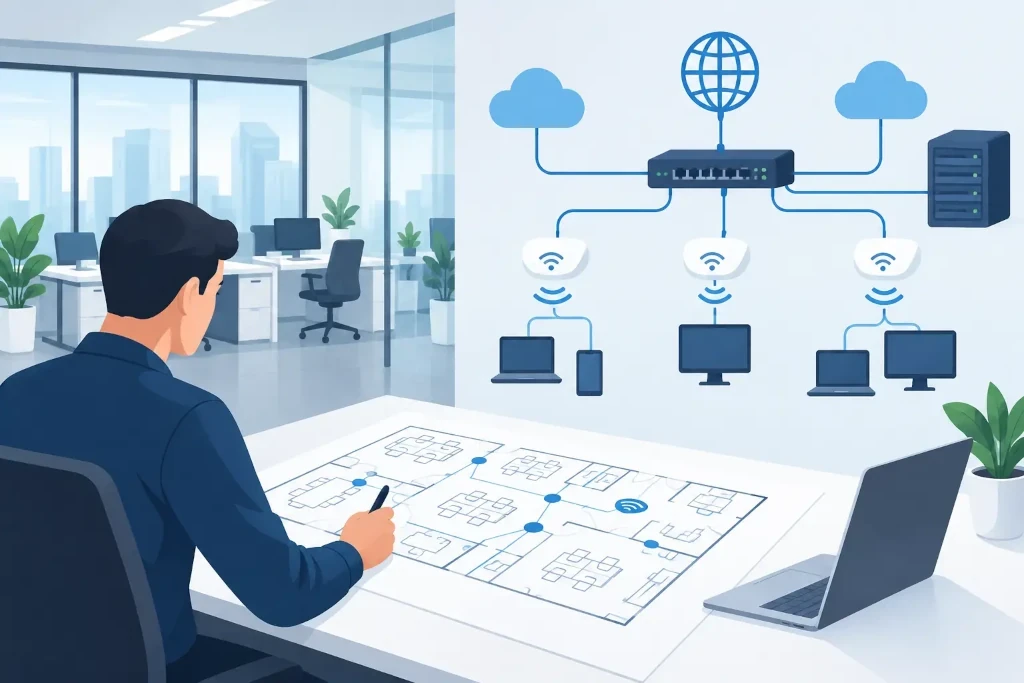
Start with business needs, not an equipment catalog
Network design should begin with the question: what must the company be able to do even if one connection or component fails? The answer will differ between an office with 15 employees and a hybrid work model and a company with a warehouse, a customer service center, and several branches.
Before choosing a firewall, switches, or wireless access points, you should record the number of users, workstation layout, critical systems, and expected growth. You should also assess which processes are sensitive to delay. An accounting system may need availability, video conferences may need stable bandwidth, and production or warehouse equipment may need uninterrupted communication with local servers.
At this stage, it is worth agreeing on an acceptable level of downtime. For some companies, a single internet outage for a couple of hours is inconvenient but acceptable. For others, it means unattended customers, work stoppages, or the risk of contractual penalties. This difference determines whether a backup internet connection, two firewalls, or just a well-thought-out replacement equipment plan is needed.
The office network design guide begins with an audit
If the office is already operating, the existing situation must be understood before any rebuild. Documentation is often outdated or nonexistent, so it is not enough to simply say that Wi-Fi is weak in some rooms. The spaces, communications cabinets, cabling, power supply, internet contracts, existing equipment, and its configuration must be inspected.
The audit should determine what is connected to the network and who has administrative access. Unknown devices, shared administrator passwords, and outdated switches often pose a greater risk than visible performance issues. Software support end dates should also be checked. Equipment that still works may be a poor choice if the manufacturer no longer releases security fixes.
Physical infrastructure is equally important. High-quality structured cabling lasts longer than active network equipment, so cutting corners here can make the next rebuild more expensive. Every cable should be labeled, the communications cabinet should be lockable, and critical equipment should be connected to an uninterruptible power supply. Otherwise, even a minor power disturbance can cause a longer recovery effort than the incident itself.
Design a segmented network, not a single one
Having all devices on one network is simpler to set up, but this approach scales poorly and increases the impact of incidents. Employee computers, servers, guest Wi-Fi, cameras, telephony, and IoT devices should not automatically be able to access one another just because they are in the same office.
A practical approach is to use separate network segments, or VLANs, and define clear access rules between them. Guests should have internet access, but not access to internal files. Cameras should be able to communicate with the recording system, not with the finance department’s computers. Employees should be granted access to systems based on their job function, not convenience.
Segmentation is not a guarantee against attacks, but it limits the spread of damage. If one device is compromised or begins to create excessive network load, the rest of the infrastructure is not automatically exposed to the same risk. Rules should be strict enough, but they must not hinder real work processes. That is precisely why access needs should be approved together with process owners, not just by the technical team.
Wi-Fi should be designed by the space, not by assumptions
A wireless network is not a single router at the internet connection. Wall materials, glass partitions, metal shelves, meeting rooms, and neighboring companies all affect coverage and interference. The number of access points cannot be reliably determined based only on office size.
Before deployment, a wireless coverage survey should be performed, or at least the plan should be based on the floor layout, employee density, and expected number of devices. In one meeting room, 20 laptops, phones, and a video conference create a very different load than an open office area with lighter usage. Guest access and its bandwidth limits should also be planned so it does not interfere with business systems.
Secure authentication is important. A shared Wi-Fi password that has not been changed for years creates access that is hard to control after employees leave. In a company with higher security requirements, individual user authentication and centralized access management should be considered.
Security and continuity must be planned together
A firewall is essential, but it is not the only security layer. The network design should include secure remote access, multi-factor authentication for administrative accounts, regular firmware updates, and centralized event log monitoring. If the company cannot see what is happening on the network, it cannot spot deviations in time.
Physical and supply risks should also be considered. Is the communications cabinet accessible only to authorized persons? Does the backup internet use a different technology or a different provider? Are configuration backups stored outside the network devices themselves? A backup connection located in the same damaged building entry point does not always provide real resilience.
Redundancy is a matter of balancing cost and risk. Two switches in every workstation area are not always a justified investment, but redundancy for the central firewall, internet connection, or server connection may be critical. The decision should be based on losses per hour of downtime, not just the price of the equipment.
Choose manageable equipment and clear responsibility
The cheapest device at the time of purchase is often more expensive to operate. Unmanaged switches, consumer-grade Wi-Fi devices, and a random mix of manufacturers make diagnostics, security policy implementation, and onboarding new employees more difficult.
Manageable enterprise-class equipment should provide segmentation, centralized configuration, software updates, access logs, and fault alerts. However, you should not overpay for features the company will not use. The right choice depends on the number of branches, regulatory requirements, internal IT competence, and the required level of support.
It is equally important to define responsibility. It should be known who owns the administrator accounts, where configurations are stored, who approves changes, and who responds during an incident. If this information remains with a single external specialist or a former employee, the company is not in control of its infrastructure.
Documentation turns the network into a manageable service
After implementation, an up-to-date network diagram, IP address plan, VLAN description, equipment inventory, warranty and license expiration dates, and a change history should be created. The documentation should be clear enough for a qualified specialist to restore operations even in an emergency.
A network is not a project that ends on installation day. It is a managed service that must be monitored, tested, and regularly adjusted. Changes in staff count, office layout, cloud systems, or security risks affect the original assumptions.
In KSK IT practice, a network project is evaluated by how well it supports the company’s work after implementation, not by the number of devices in the cabinet. A good next step is to connect the technical plan with responsible people, the budget, and a regular review cycle. Then the office network becomes a predictable business resource, not a problem that is only remembered when it stops working.
