
AUTHORIZATION
Blog

Microsoft 365 administration guide for businesses
When an employee loses access to email, a SharePoint folder is accidentally deleted, or an attacker tries to use a stolen password, the problem is not only technical. It can stop sales, delay customer service, and create data protection risks. That is why a Microsoft 365 administration guide for a company is not an instruction manual for buttons in the administration portal. It is a governance model that defines who accesses information, how data is protected, and what happens when an incident occurs.
In a small or medium-sized business, Microsoft 365 often combines critical everyday work tools - Exchange Online email, Teams communication, SharePoint documents, OneDrive files, and identity management. The more business processes move into this environment, the less acceptable is an approach where settings are made only after something has already happened.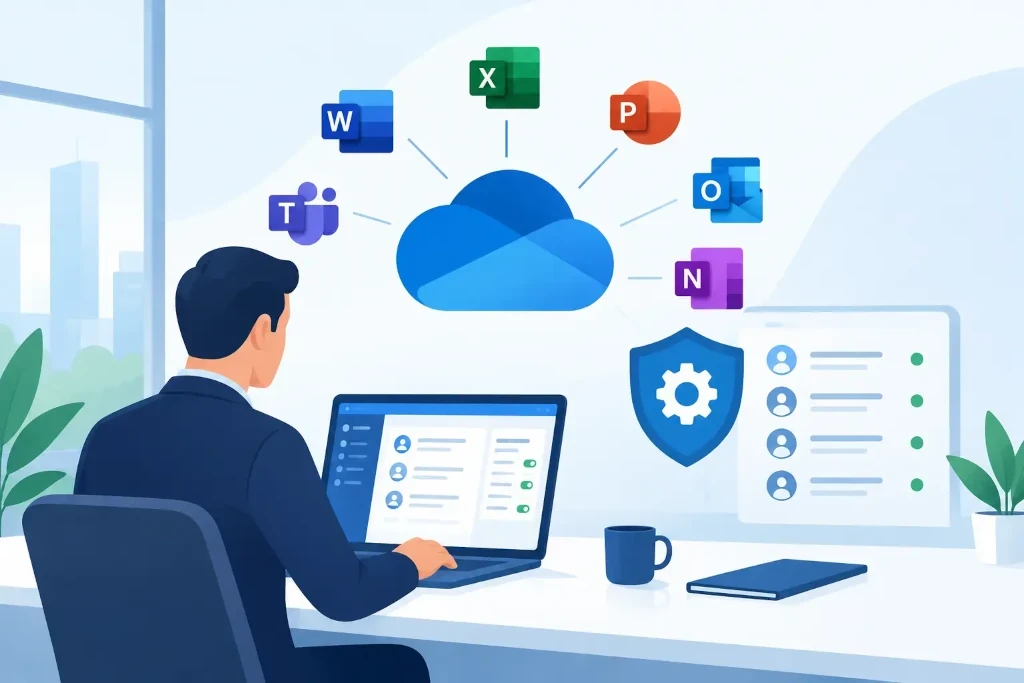
The Microsoft 365 administration guide starts with responsibility
The first question is not where to enable a specific policy. The first question is who in the company owns responsibility for the environment. Management must designate a business owner who approves access principles, the budget, and the risk level, while the technical administrator must ensure the implementation of these decisions and demonstrable control.
A common mistake is to grant global administrator rights to several people for convenience. Such rights allow changes to licenses, users, security settings, and in some cases access to sensitive information. They are only necessary for a very limited circle of responsible people. For everyday tasks, narrower role-based rights should be used, such as for user management, Exchange, or SharePoint administration.
Administration must be documented. The company needs an up-to-date overview of administrators, their roles, external IT partners, the license owner, and the approved change process. This is especially important during employee replacement, audits, company sales, or mergers.
Protect identity before protecting files
The foundation of Microsoft 365 security is the user identity. If an attacker obtains an employee's password, they can often access not only email but also Teams conversations, OneDrive files, and shared document libraries. Therefore, passwords alone are no longer a sufficient protection mechanism.
Multi-factor authentication should be implemented for all users, starting with administrators. In practice, the authentication method should also be evaluated. An app approval or passwordless sign-in is usually safer than a simple SMS code, but the choice must take into account employees' work specifics and the available devices.
Conditional access policies help reduce risk without unnecessarily complicating work. For example, a company can require additional verification if a user signs in from a new country, an unrecognized device, or tries to access administrative resources. Policies should be introduced gradually, initially in monitoring mode. Otherwise, a well-intended security change may block access for a legitimate employee or a critical integration as well.
The following control points should exist in the core system:
- multi-factor authentication for all accounts, especially administrators;
- separate emergency access accounts with strict monitoring;
- prohibition of legacy authentication protocols if they are not reasonably required;
- regular review of administrator roles and privileged access rights;
- a clear process for immediately blocking an account in case of suspicious activity or termination of employment.
Emergency access accounts are not everyday work accounts. They are needed in case a misconfigured policy blocks normal administrator access. Such accounts must be stored securely, tested, and included in the incident procedure.
User lifecycle: access only as long as needed
Access management begins before a new employee's first day at work. The account should be created after an approved request, with the appropriate license, group membership, and the resources required for the role. If possible, access should be granted to groups rather than individual users. This reduces the chance of errors and makes review easier.
When an employee changes position, access must change as well. Otherwise, the person may retain rights to financial documents, personnel information, or customer data that are no longer needed in the new role. Here, the principle of least privilege is essential.
Ending employment is a critical process. Blocking the account, revoking active sessions, transferring company data, and checking automatic forwarding must happen according to a pre-prepared scenario. At the same time, it is not correct to automatically delete all of a user's content without a business decision. Email history, OneDrive files, and conversations may be necessary to resolve customer obligations, accounting, or legal issues.
Guest accounts must also be managed in a disciplined way. External partners should be given access for a specific purpose and period, not indefinitely. Regular access reviews help determine whether the external user is still participating in the project.
Licenses and devices are a matter of cost and risk
Microsoft 365 licensing is not just a monthly bill. A poorly chosen license can mean the company pays for unused capabilities or, conversely, does not receive security features it actually needs. Before changing licenses, the way users work, the number of devices, data sensitivity, compliance requirements, and planned growth should be evaluated.
License audits should be performed regularly. Look for inactive accounts, duplicate licenses, shared mailboxes that may not need a license, and users with insufficient functionality. Saving money must not reduce protection. For example, if a company wants to implement more advanced access policies or device management, the cheapest license plan will not always be the most cost-effective in the long term.
If employees use laptops and mobile devices outside the office, it must be defined what conditions a device must meet before accessing company data. Managed devices may require disk encryption, screen locks, current updates, and the ability to remotely wipe company data. For personal devices, limited access through protected apps may be more suitable. The right approach depends on the work culture, risk level, and type of data.
Data protection is not the same as backup
Microsoft 365 provides platform availability and several data recovery mechanisms, but the company must understand what they cover and for how long. Deleted item retention periods, version history, and retention policies address different scenarios. They are not an automatic guarantee that any file or mailbox can be restored within the time the company needs.
Data classification should be defined: which documents are public, which are for internal use only, which contain personal data, financial information, or trade secrets. On this basis, sharing, retention, and data loss prevention policies can be built. Too strict a policy will create workarounds, such as sending files through private channels. Too loose a policy increases the likelihood of a leak. The balance must be sought together with process owners, not only in the IT team.
An independent backup is justified if the company has high requirements for data recovery, long-term retention, or protection against malicious deletion. But the backup must also be tested. An untested backup is not proof of business continuity.
Monitoring and incident readiness
Security event logs, alerts, and regular reviews help detect unusual activity earlier. Attention should be paid to suspicious sign-in attempts, mass file deletion, unexpected forwarding rules in mailboxes, changes in administrator roles, and new app consents.
The most important thing is not to collect the maximum number of notifications, but to determine who reviews them and how quickly action is taken. The incident procedure should include responsible persons, communication procedures, account isolation actions, evidence preservation, and the sequence of service restoration. It is worth practicing this procedure before a real incident, because a crisis is not the time to search for administrator access or a decision-maker.
Regular governance turns settings into control
The Microsoft 365 environment changes continuously: new employees, projects, devices, integrations, and partners appear. Therefore, a one-time implementation project is not enough. It is recommended to introduce a monthly operational review of users, licenses, security alerts, and changes, as well as a quarterly management review of risks, compliance, and improvement priorities.
An external managed IT partner is useful if the company does not have its own specialized team or if the internal IT manager needs additional resources. The KSK IT approach in such a situation is to combine day-to-day administration with risk, continuity, and development planning, rather than limiting itself to user account servicing.
The best next step is not to activate dozens of policies immediately, but to carry out a structured environment assessment. Find out who has administrator access, whether all users use multi-factor authentication, how devices are managed, and whether the company could restore critical data within the required timeframe. These answers show where investment will reduce real business risk the fastest.
