AUTHORIZATION
Blog
How to securely manage a fleet of remote devices
Remote work has changed not only the workplace, but also the company’s responsibility for computers, phones, and access to data. The question of how to manage a remote device fleet is no longer just an everyday task for the IT department. It directly affects cybersecurity, employee productivity, compliance with requirements, and the ability to continue operating in the event of an incident or staff turnover.
In a small company, risk often arises gradually. One employee works on a personal computer, another has an outdated laptop left over, and a third uses administrator rights because that was once more convenient. Individually, these exceptions may seem insignificant. Together, they create an environment in which management cannot confidently say what devices are processing company data, whether they are protected, and how quickly they can be restored.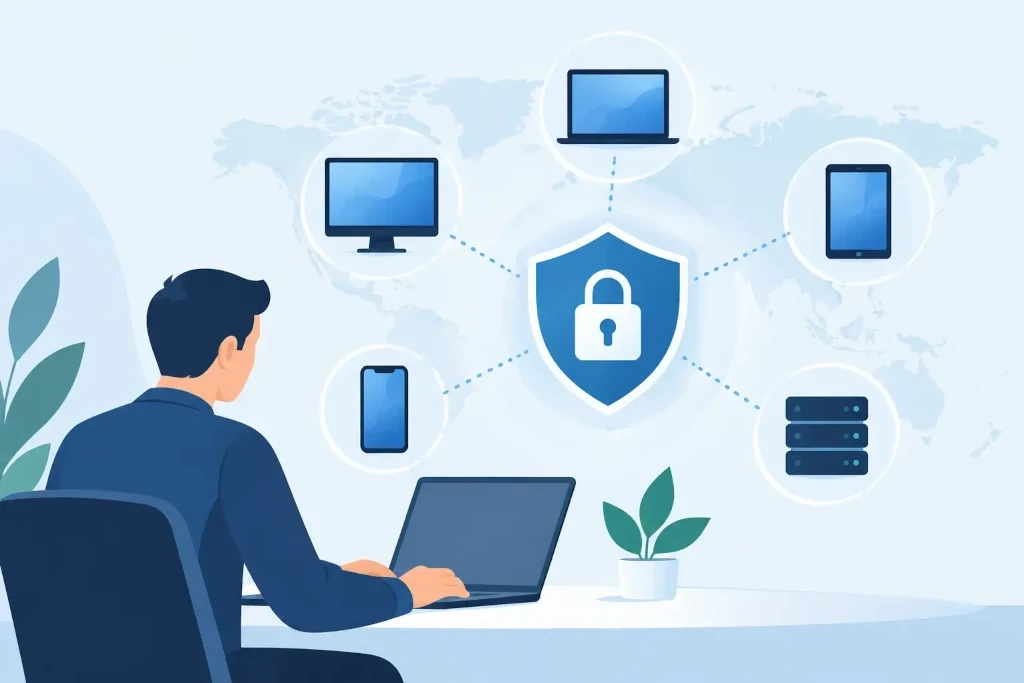
Start with visibility, not with buying a new tool
Effective management begins with a reliable device register. It should include not only laptops and desktop computers, but also mobile phones, tablets, servers, network equipment, and, if necessary, specialized workstations. Each device should be linked to the responsible user, location, warranty and lifecycle status, as well as information about the systems assigned to it.
The goal is not to create a bureaucratic list. The goal is to make informed decisions. If an employee reports a lost computer, the company should immediately know whether it contained local data, whether the drive was encrypted, and whether the device can be remotely locked or wiped. If budget planning is approaching, the register shows which devices are nearing replacement rather than forcing a response only after a failure.
A spreadsheet may be sufficient for a very small, stable number of devices. But as the team grows, branches are added, or the number of remote workers increases, a manual tracking process quickly loses accuracy. Then centralized device management is needed, which automatically collects technical information and records changes.
Standardize devices and the provisioning process
Managing a remote device fleet becomes much easier when the company has approved device models, operating system versions, and software packages. Standardization reduces support costs: the IT specialist does not spend time solving the same problem in five different configurations, and spare parts, licenses, and instructions are predictable.
A new device should not be handed to an employee with the expectation that they will install everything they need themselves. The provisioning process should be set up so that, before the first login, the computer is already registered in the management platform, encrypted, equipped with protection software, and prepared with the required work applications. The employee signs in with their company identity, and access is assigned according to their role.
This principle is especially important for companies with high staff turnover, seasonal employment, or new organizational units. A prepared, standardized device reduces delays on the first day of work and lowers the chance of errors. There should also be a defined return process when employment ends: access is revoked, data is retained according to policy, and the device is checked and prepared for the next user.
How to manage a remote device fleet without security compromises
Remote management must not mean broader privileges or less control. On the contrary - a remote environment requires more consistent discipline in identity, access, and device security.
The first foundation is multi-factor authentication for all essential services, especially email, file storage, remote access, and administration tools. A password alone is not enough, even if it is complex. The second foundation is the principle of least privilege. Users should receive access to what they need for their work, not to the entire system for convenience.
Devices should be encrypted, with screen locking enabled and centrally managed anti-malware protection. If a laptop is stolen in a hotel or left in transit, encryption can be the boundary between hardware loss and a data breach incident. Centralized protection, in turn, makes it possible to see whether the device is active, whether suspicious signs have been detected, and whether immediate isolation is required.
A clear decision about personal devices is also important. In some companies, a BYOD approach is justified - for example, when employees use mobile phones for communication and access is provided only through protected applications. But this is not suitable for every role and every type of data. If an employee handles customer data, financial information, or confidential documents, it is often safer for the company to provide a managed work device.
Updates are a business continuity issue
Outdated software is one of the most common attack vectors. However, uncontrolled deployment of updates can also cause operational disruptions, such as incompatibility with accounting systems, production software, or specialized peripherals. Therefore, the right approach is not simply to require everyone to update everything at once.
A practical model calls for updates to be tested in a small pilot group, then rolled out across a broader device set, and the results monitored. Critical security fixes should be distributed quickly, but changes to business-critical systems require a planned window and a rollback scenario. For management, the most important metric is not how many updates have been released, but how many devices actually meet the defined security level.
The same process should monitor software licenses. Unauthorized applications create not only licensing risk, but often a security problem as well. Centralized management helps identify unapproved software, unnecessary licenses, and applications that are no longer supported in time.
Build support that does not stop at the ticket request
For a remote employee, a computer problem can immediately become a work stoppage. If there is no local IT colleague, the support process must be clear and fast: where to report an incident, how priority is determined, what the employee may do themselves, and when a specialist must be involved.
However, a mature support model is not just a reaction to requests. It uses monitoring to detect risks before the user notices them - a full disk, failed backup processes, overheating, suspicious logins, or recurring software errors. Proactive action reduces downtime and allows the IT budget to be used for planned improvements rather than constant emergency fixes.
There must also be a clear boundary between everyday user support and incident management. Signs of ransomware, a suspicious account login, or a missing device require a predefined escalation, responsible people, and decision-making authority. In a crisis, it is not the time to figure out who may disable access or inform clients.
Measure management quality in management language
The management team does not need a weekly list of technical warnings. It needs a clear picture of risk, costs, and business continuity. A regular report can show the proportion of managed devices, encryption status, the number of unpatched machines, software license status, incident trends, and devices nearing replacement.
These indicators help connect IT work with business decisions. For example, a high proportion of outdated computers is not just a technical problem - it is a planned productivity, security, and budget risk. Likewise, a regularly checked pool of spare laptops can be a justified investment for a company where one employee’s downtime affects customer service or revenue.
In KSK IT practice, remote device management is viewed as part of broader IT governance: a device must be visible, protected, updated, and linked to the company’s access, backup, and incident management processes. It is precisely this connection that turns separate technical tools into a controlled working environment.
The next useful step is not to change the entire technical environment right away, but to test one question: can the company name all devices that access its critical data within 30 minutes? If the answer is not convincing, organizing device fleet management is a justified priority.
