
AUTHORIZATION
Blog

Business firewall overview for enterprise security
A workday can come to a halt for reasons other than a server failure. A compromised user account, ransomware in an email attachment, or unauthorized access to a remote service is enough to affect files, accounting, customer service, and deliveries. That is why a business firewall review is not about a single device in the server room. It is a decision about how well a company can control network risks, spot incidents, and keep working when a threat has already begun.
In a small or medium-sized business, a firewall must do more than block unwanted connections. It must match the company’s working model, use of cloud services, number of branches, remote worker needs, and continuity requirements. An unsuitable choice creates two opposing risks: protection is too weak, or management becomes so complicated that rules are not maintained regularly.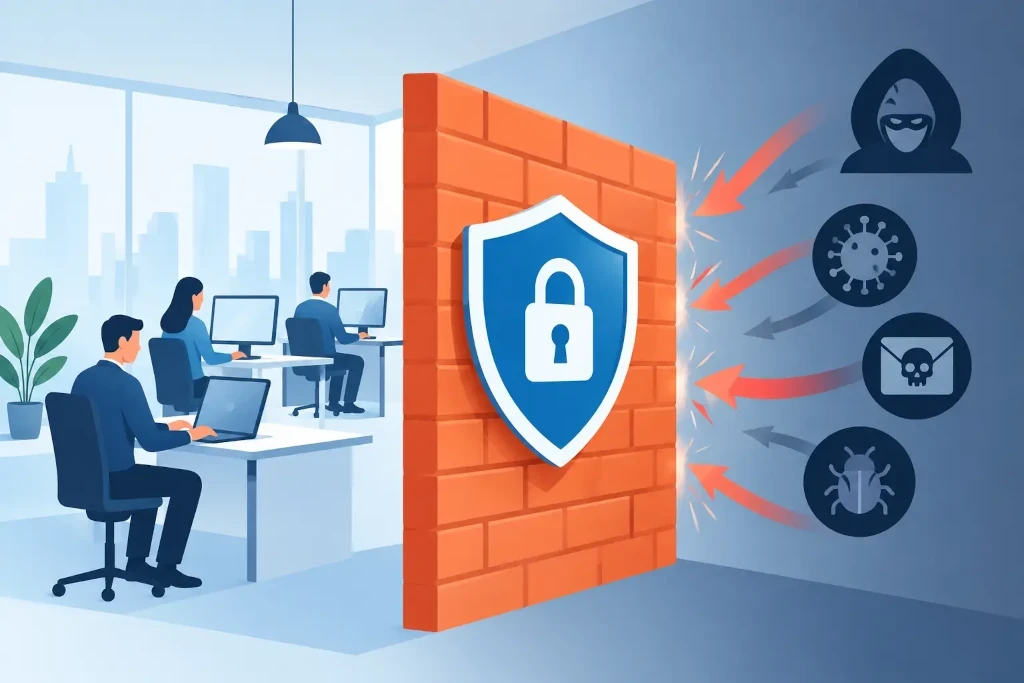
What a firewall actually provides for a company
A traditional firewall controls data flow between the internal network and the internet based on addresses, ports, and connection rules. That is no longer enough. Modern business solutions usually require next-generation features: application recognition, intrusion prevention, malicious website filtering, malware scanning, and centralized log collection.
The practical meaning is simple. A firewall must be able to distinguish legitimate access to Microsoft 365, an accounting system, or a customer portal from unusual data traffic that may indicate a compromised device. This does not mean that one device replaces user training, backups, or access management. It is one of the main layers of defense that connects these measures into a single manageable environment.
A business firewall review starts with the work environment
Before comparing manufacturers or price quotes, you need to determine exactly what you are protecting. A company with 15 office users who mainly use cloud services will have different requirements than a manufacturing company with warehouse terminals, a local ERP system, and several branches. In both cases, the cheapest model will not always be the most economical solution.
Start with a network map. It should show internet connections, wireless networks, servers, cloud resources, remote access points, the guest network, and devices whose operation is critical. Special attention is needed in environments where office computers, video surveillance, production equipment, and guest devices are on the same network. If these zones are not separated, an incident in one segment can quickly affect the entire infrastructure.
You should also assess data flow. Do employees access resources from abroad? Are public cloud platforms used? Do partners need access to a specific system? Does the company have two internet connections? These answers determine not only the required features, but also the quality of configuration and the amount of day-to-day management.
Performance: look at real speed, not the advertised speed
One of the most common sources of error is choosing a firewall based on maximum throughput. The speed stated by the manufacturer often applies to basic data traffic without deep content inspection. When intrusion prevention, antivirus scanning, web filtering, and encrypted traffic inspection are enabled, actual performance drops.
A firewall with too little capacity can become a bottleneck. Users experience this as slow access to cloud systems, unstable video calls, or disruptions in remote connections. Conversely, an overly large and complex platform can create unnecessary licensing and maintenance costs.
Evaluate not only the current internet speed, but also growth over the next three to five years. Include user growth, new office locations, broader SaaS usage, and a possible backup internet connection. Proper performance headroom is a business continuity element, not excess.
Encrypted traffic and privacy boundaries
A large portion of internet traffic is encrypted. If the firewall does not inspect such traffic, malicious content can remain invisible. However, full TLS inspection requires processor resources, proper certificate management, and clear rules about which websites should be excluded from inspection.
There is no universal answer here. Financial, health, and some HR services may require exceptions due to privacy, compatibility, or regulatory requirements. Unconsidered encrypted traffic inspection can cause access errors and user dissatisfaction. On the other hand, not using it at all reduces visibility. The decision should be based on risk assessment, not just the default configuration.
Segmentation reduces the impact of incidents
A good firewall is not only a boundary between the office and the internet. It also helps separate network zones within the company itself. The guest wireless network should not be able to see accounting computers. Video surveillance cameras do not need access to the file server. Production equipment often needs strictly defined connections, not free access to the entire network.
Segmentation reduces so-called lateral movement - the situation where an attacker, after compromising one device, looks for the next target. It also makes management easier, because access rules can be based on business function rather than on individual devices. This approach is especially useful for companies that are growing, moving to a new office, or integrating the infrastructure of an acquired company.
Remote access must not be a compromise
VPN is still a common way for employees and administrators to access internal resources. However, remote access is also a frequent attack target. Secure access requires multi-factor authentication, individual user accounts, minimum access rights, and regular review of inactive accounts.
Shared VPN accounts and permanently open administration ports on the internet should be avoided. If an external partner needs access, it should be limited by time, user, and specific resource. A firewall helps implement these principles, but the access process must also be approved at the level of company management and responsible system owners.
Licenses, support, and total cost
The purchase price of the device is only part of the cost. For many business platforms, security services, centralized management, technical support, and software updates are available via a term license. If the license expires, the firewall may continue to forward traffic, but lose the latest threat definitions or other essential functions.
That is why offers should be compared over a three- to five-year period. Include hardware or subscription fees, licenses, implementation, configuration, documentation, backup hardware, monitoring, and incident support. A cheap initial solution can become expensive if it lacks quality support or has to be replaced after a short time.
Management and logs are just as important as the device
A firewall without reviewed configuration is an incomplete control mechanism. Rules accumulate over time: access to a new system is opened, a supplier is added, remote work is introduced, and a temporary exception remains in place for years. Regular rule review helps remove unnecessary permissions and spot risky settings.
Logs only provide value if someone monitors them and can act. A company must know who receives alerts about suspicious activity, how an incident is prioritized, and how quickly escalation happens. In a managed IT environment, these responsibilities should be defined at the service level, not left as an undefined assumption.
In a practical check, it is worth confirming five questions:
- Is there a clear owner for configuration, licenses, and administration accounts?
- Are critical events noticed outside working hours?
- Is there an up-to-date configuration backup and a replacement plan in case of device failure?
- Are firewall rules reviewed after infrastructure or staffing changes?
- Is a contact person with decision-making authority available during an incident?
When higher availability is needed
If an internet outage stops sales, customer service, warehousing, or remote work, a single firewall may be insufficient. In a high-availability configuration, two devices are used that can take over operation in the event of a failure. This is often complemented by two internet connections and a tested failover scenario.
Such an architecture is not needed for every office. For a small team that can temporarily work with mobile internet or postpone some processes, the cost may not be justified. But for companies with strict customer commitments, continuous production, or extensive e-commerce operations, the cost of downtime is often greater than the cost of a backup solution.
In KSK IT practice, firewall selection must be linked to broader infrastructure management: backups, identity protection, network segmentation, documentation, and recovery planning. The device alone does not create resilience. It is created by a transparent architecture and regularly tested operating processes.
The next useful step is not to rush to order a specific model, but to assess the current environment against the company’s critical processes. If you can clearly answer what must be protected, how much downtime you can tolerate, and who will respond when an incident occurs, firewall selection becomes a justified business decision rather than a technical guess.
