
AUTHORIZATION
Blog

Backup copies or disaster recovery for a company
A missing accounting system on Monday morning, a damaged file server, or blocked client data is not just an IT incident. It is a sales, customer service, cash flow, and reputation issue. That is why the discussion about backups or disaster recovery is not a choice between two mutually exclusive solutions. It is a choice about how much downtime a company can afford and how much data it can afford to lose.
In small and medium-sized businesses, there is often an assumption that cloud services or regular file copying already means complete protection. But a backup helps recover information, while disaster recovery helps restore the company’s ability to work. This difference becomes critical when you need to restore not one document, but the entire working environment.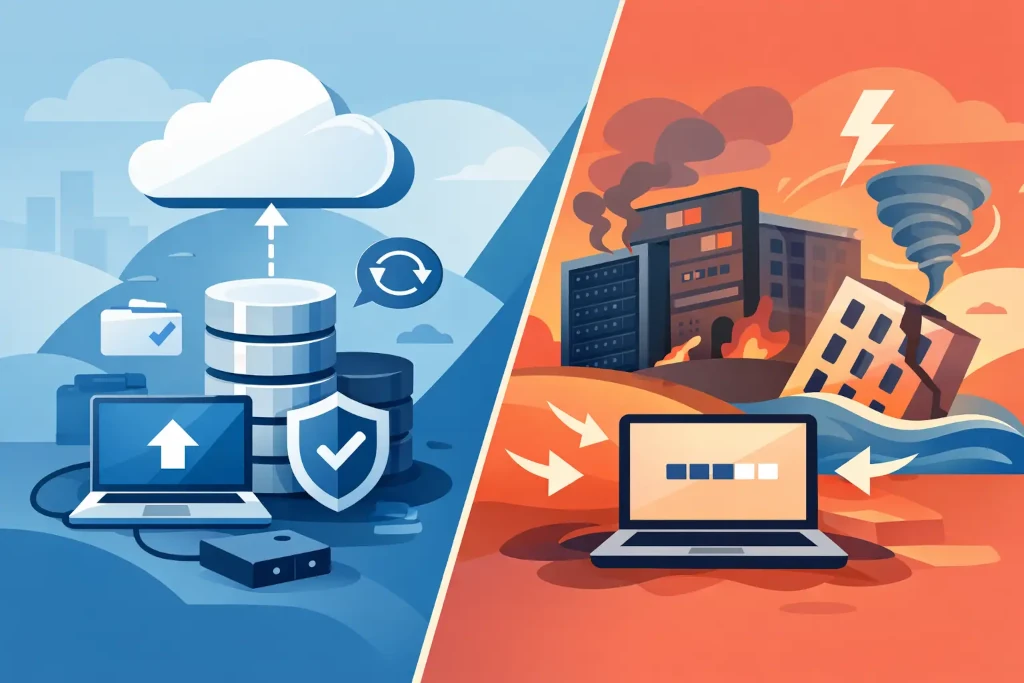
What do backups actually provide?
A backup is a copy of data stored separately from the original environment. It allows you to restore files, databases, emails, virtual machines, or other information resources after an error, deletion, damage, or cyber incident.
A good backup solution answers a practical question: can we recover the needed version of the data? For example, if an employee accidentally deletes a folder of contracts, if a database becomes corrupted, or if ransomware encrypts shared files, a backup gives you the opportunity to return to a previous, valid version.
However, a data copy alone is not enough if the company’s main system is unavailable for several hours or days. The server may be restorable, but is there infrastructure available to run it on? Is documented access, network settings, licenses, system connections, and responsible personnel in place? This is where disaster recovery planning begins.
A backup is not automatically a recovery plan
The quality of backups is not determined only by whether copying happens every night. What matters is how often it happens, how long data is retained, whether copies are isolated from the primary environment, and whether restoration is regularly tested.
Protection against ransomware is especially important. If an attacker gains administrative access, insufficiently protected backups can be deleted or encrypted along with the production environment. Therefore, a company needs multiple backup versions, storage in a separate location, and, depending on the risk, immutable copies that cannot be altered for a certain period of time.
What is disaster recovery and why does it cost more?
Disaster recovery is the technical and organizational plan for restoring critical IT systems within an acceptable time after a serious disruption. It covers not only data, but also servers, applications, user access, the network, security configuration, connections with suppliers, and the distribution of responsibilities during an incident.
If a backup is a safe for documents, disaster recovery is a pre-prepared alternative workspace for the company’s entire digital operation. It may mean launching virtual servers in the cloud environment, switching systems to another location, or gradually restoring critical services according to a defined priority.
Such a solution requires greater investment, because not only backups but also recovery capacity, configurations, procedures, and regular tests must be maintained. However, the costs should be weighed against the cost of downtime. For a manufacturing company, one day without a planning system can halt deliveries. For a service company, the loss of a customer service system can mean unanswered requests and contract risk. In finance or healthcare, the consequences can also be regulatory.
Two metrics that define the requirements
The decision should not start with choosing a technology. It should start with two business metrics: RPO and RTO.
RPO, or Recovery Point Objective, determines how much data the company can afford to lose. If the RPO is 24 hours, changes made within one working day may be lost during recovery. If a company accepts orders or processes transactions continuously, such a risk may be unacceptable. Then more frequent copying, replication, or another approach is needed.
RTO, or Recovery Time Objective, determines how quickly the system must be available again. For one system, two working days may be acceptable; for another, two hours. RTO is not an IT team guess. It is defined by management, taking into account customer commitments, revenue impact, legal requirements, and employees’ ability to continue working in an alternative mode.
Backups or disaster recovery: how to decide?
For most companies, the right answer is both approaches, but at different depths for different systems. Not every file archive needs immediate failover to a secondary environment. Conversely, a system that handles order intake, warehousing, accounting, or customer service may not be sufficiently protected by a nightly backup.
First, systems should be categorized by business criticality. Four questions are useful in this assessment:
- How long can the company operate without this system?
- How much data can be lost without causing significant damage?
- What contractual, regulatory, and security requirements apply?
- Is there a manual or alternative workflow while the system is unavailable?
For example, a historical project archive can be restored the next day. Meanwhile, an active ERP database, email, identity management, or remote access environment often requires a much shorter RTO. This segmentation allows investment where it reduces real business risk, rather than protecting the entire IT environment at the same high cost.
The most common gaps that only appear during an incident
The first problem is the belief that a copy exists, even though no one has tested a full restoration. A successful backup log does not mean the database will be consistent, the files will be readable, and the application will start without errors. A restoration test is the only way to verify the assumption.
The second problem is an incomplete operating environment. A company may be able to restore a server but still cannot connect because firewall settings, DNS configuration, VPN access, licenses, or administrative accounts are unavailable. In a disaster recovery plan, these dependencies must be documented and reviewed after infrastructure changes.
The third problem is inaccurate responsibility. During an incident, it must be clear who makes decisions about system priorities, who communicates with vendors, who informs employees, and who approves the return to normal operations. Technical recovery without coordinated communication can prolong downtime even when the data is safe.
The fourth problem is reliance on the knowledge of one supplier or one administrator. If the configuration is not documented and access is limited to one person, business continuity becomes dependent on that individual’s availability. Managed IT reduces this risk by providing documentation, monitoring, and a clear escalation process.
A practical approach to recovery readiness
Start with mapping critical processes, not by buying backup software. Identify which systems affect revenue, customer commitments, deliveries, financial control, and compliance requirements. Then define the RPO, RTO, recovery sequence, and responsible person for each system.
The next step is to check the current situation. You need to determine exactly what is being backed up, how often, where the copies are stored, who can access them, and how long recovery will realistically take. Special attention should be paid to cloud services. Service availability does not mean that the provider is responsible for recovering every version of a client’s data or for the consequences of the client’s mistakes.
Finally, the plan must be tested. The test does not always need to be a full company failover to a backup environment, but it should confirm critical scenarios: data restoration, access functionality, launching priority applications, and communication during an incident. KSK IT helps in such assessments by connecting the technical recovery architecture with the business priorities defined by management.
A backup is valuable only if it can be restored. A disaster recovery plan is valuable only if people can execute it under time pressure. In the next management or IT review, ask one specific question: if our most critical system disappeared today, when exactly could we fully serve customers again?
